

Neon Pay
Simplify Payment Processing for Your Nonprofit
With donation payment processing built right into your CRM, there’s no need to wait for syncs or manual updates. You get instant access to all your payment data—no integrations required—and without any sensitive data ever leaving your system.

The Simple, Secure Nonprofit Payment Platform
Payments shouldn’t slow your team down or muddy your data. Neon Pay brings donations, dues, and event revenue into one secure, fully integrated system—so you spend less time managing transactions and more time building relationships that drive growth.
- Every Payment, One Platform: Accept donations, memberships, event registrations, ACH, and digital wallets—all inside Neon One, so nothing slips through the cracks.
- Less Busywork, More Impact: Automatic reconciliation, real-time reporting, and native integration eliminate manual updates and (sometimes costly) guesswork.
- Secure, Flexible, and Built to Scale: Built-in fraud protection, flexible payout options, and donor-covered fees help protect your revenue today and help you grow tomorrow.

Automatic Reconciliation
Match payments and keep reports up to date without manual cleanup or exports.
Digital Wallet Payments
Accept Venmo, PayPal, Apple Pay, and Google Pay for fast, familiar checkouts.
Credit Card & ACH Processing
Support all major cards and ACH transfers to give donors flexible, trusted payment options.
Donor-Covered Processing Fees
Allow donors to offset processing costs and increase revenue from every transaction.
Seamless Checkout Experience
Foster trust with frictionless checkouts for all donors, attendees, and store patrons.
Built-In Fraud Protection
Secure transactions with fraud safeguards designed for nonprofit payment activity.
Native Real-Time Payment Data
See live payment activity inside Neon One with no delays or third-party tools.
Easy In-Person Payments
Maximize event transactions with your own handheld payment terminal.
Flexible Payout Options
Control cash flow with payout schedules and insights that scale as you grow.
Accept In-Person Payments Anywhere
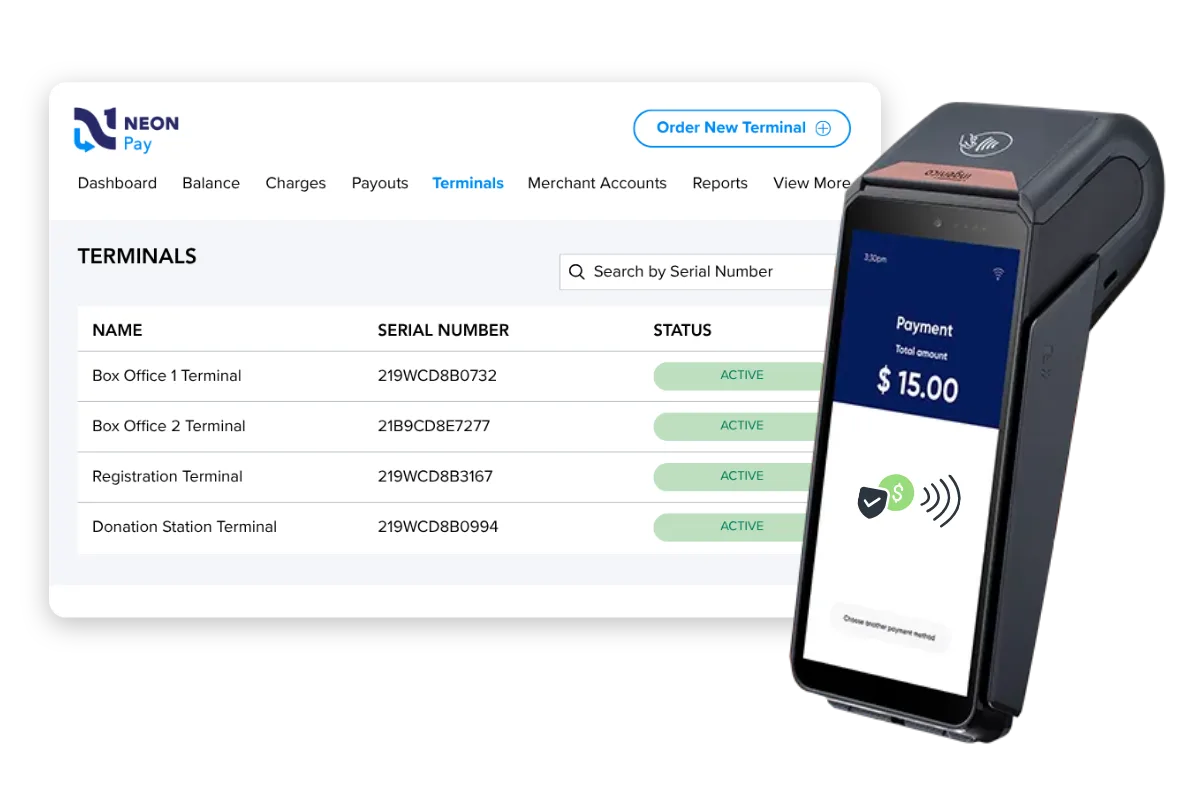
Neon One’s handheld payment terminal, powered by Neon Pay, lets you easily and safely accept in-person donations, ticket sales, and more without worrying about outages.
- Modern Flexibility: Accept credit cards and digital wallets like Apple Pay and Google Pay through tap, chip, or swipe.
- Reliable Anywhere: Stay connected at indoor galas or outdoor festivals with built-in Wi-Fi and automatic 4G cellular backup.
- Fast Receipts: A built-in printer means you can easily print out tax-compliant paper receipts for gifts and sales on the spot.
Tour Nonprofit Merchant Services in Neon One
Explore how Neon Pay helps you handle every payment with less stress and more control. These self-guided tours show how you can streamline operations and put more focus back on your mission.

Tour Neon One’s All-in-One CRM for Nonprofits
Explore how Neon One simplifies your day-to-day—at your own pace.

Pricing
Neon One Payment Processing Fees
Neon Pay can be used with all of our products, and processing fees range between products. Additional fees for Mastercard, Discover, and AmEx, and a monthly account fee may apply. Please contact your account executive for specific details.
The fee for using an external payment processor starts at $50/month.
Ready for Safe and Easy Payment Processing?
Neon Pay gives you a secure, fully integrated way to manage donor payments—so you can spend less time on admin and more time advancing your mission.

Nonprofit payment processing lets organizations accept donations, membership dues, and event payments through credit cards, ACH transfers, and digital wallets. These transactions are then routed into the organization’s donor records. Unlike generic merchant services built for retail, nonprofit payment processors are built to handle recurring gifts, donor-covered fees, and tax-compliant receipts as standard features.
Neon Pay is the nonprofit payment processing platform built directly into Neon One’s nonprofit relationship management platform. It processes credit cards, ACH transfers, and digital wallets right inside the same system that holds your nonprofit’s donor data, so every transaction updates records in real time with no manual export or import required. See how Neon Pay’s real-time data connects to the rest of the nonprofit relationship management platform.
Neon Pay accepts all major credit and debit cards, ACH bank transfers, and popular digital wallets, including Apple Pay, Google Pay, Venmo, and PayPal. Supporters can choose whichever option feels most familiar at checkout, so you don’t lose a gift, a membership renewal, or a ticket purchase to a payment method your organization can’t process. These options work the same way whether a supporter gives through a website donation form, a membership renewal, or an event registration.
Neon Pay connects natively to every part of the Neon One platform, including Neon CRM, Neon Websites, Arts People, and Neon Fundraise. A donation on a nonprofit’s website, a ticket sale through Arts People, or a peer-to-peer pledge all flow into the same database automatically, without exports or manual entry. This native connection helps keep donation data flowing into one clean database.
Neon Pay deposits funds directly into your nonprofit’s bank account on a payout schedule that your organization sets, whether that’s daily, weekly, or monthly. Staff can see every transaction in real time as it happens, so the team doesn’t have to manually enter payment data by hand to know where revenue stands. Payout history and transaction detail also feed Neon One’s real-time reporting tools.
Yes. Neon Pay lets you offer your donors the option to cover processing costs at checkout. When a donor chooses to add the fee, the organization keeps more of the original gift amount, which can add up across a full campaign or a recurring giving program. This option pairs well with recurring donations, since retained donors who cover fees compound the benefit over time. With this setting enabled, your supporters get additional opportunities to show their generosity and support your work.
Yes. Neon Pay supports recurring giving programs with automated payment schedules, so a nonprofit can turn one-time donors into sustained monthly or annual supporters. Donors manage their own payment details, and automated card-updates and donor self-service tools help minimize and resolve failed payments. Recurring donations are closely tied to donor retention, since supporters who give on a schedule tend to stay engaged longer.
Yes. Neon Pay works with a handheld payment terminal that accepts credit cards and digital wallets like Apple Pay and Google Pay through tap, chip, or swipe. Built-in Wi-Fi and automatic 4G cellular backup keep the terminal connected at an indoor gala or an outdoor festival, and a built-in printer produces tax-compliant paper receipts on the spot.
Yes. Neon Pay is fully PCI DSS compliant and includes fraud protection built for nonprofit payment activity. Neon Pay handles the technical work of data security in the background, so your team can spend its time on donors and programs instead of payment infrastructure.
Yes. Neon Pay processes event registrations and ticket sales across the connected Neon One platform, including Arts People box office sales, Neon CRM gala RSVPs, and Neon Fundraise 5K registrations. When a supporter registers or buys a ticket, Neon Pay updates that person’s profile right away, so staff see the full picture without cross-checking a separate system. Learn more about running registrations and check-in through Neon One’s nonprofit event management tools.
Neon Pay delivers real-time transaction reporting and payout history directly inside the Neon One platform, so staff can see current revenue without waiting on a batch import. You can also export detailed financial data to your accounting software for a complete view of revenue across every channel. This ties directly into Neon One’s broader reporting and analytics tools, which cover fundraising, membership, and event revenue in one place.
Getting started with Neon Pay involves a secure online application and a quick bank account verification. Every Neon Pay plan includes live support by chat, phone, and email from a team that understands how nonprofits operate, so questions get answered fast. Book a demo to learn more about the setup process.
Neon Pay charges a standard per-transaction rate on Visa, Mastercard, and Discover, a higher rate on American Express, and a flat monthly merchant account fee per merchant account. Nonprofits can also opt into donor-covered fees to reduce their effective rate. Exact rates vary and are confirmed during setup — see our CRM pricing guide for more details.
Yes. Setting up Neon Pay includes a dedicated merchant account, which nonprofit staff can complete through a guided process. Once that account is active, Neon Pay handles ongoing payment processing without a nonprofit having to manage a separate outside vendor relationship. Walk through the setup steps in Neon Pay’s product tours, including the merchant account walkthrough.
No. Neon Pay is available only to nonprofits already using at least one Neon One product, such as Neon CRM, Neon Websites, Arts People, or Neon Fundraise. This native connection is what lets payment data update a nonprofit’s records in real time instead of through a manual import.
Neon Pay keeps payment processing inside the same system as your nonprofit’s donor records, while a separate outside processor requires manually reconciling transactions against a different database. Nonprofits using disconnected tools often deal with duplicate data entry and delayed reporting, since a gift or a ticket purchase has to be re-entered before it shows up in donor history. Neon Pay removes that extra step because every transaction posts to the platform in real time.