
Online Donation Forms That
Nonprofits & Donors Both Love
Neon One’s native nonprofit donation forms are easy to build and easy for donors to use, helping you raise more without doing more.
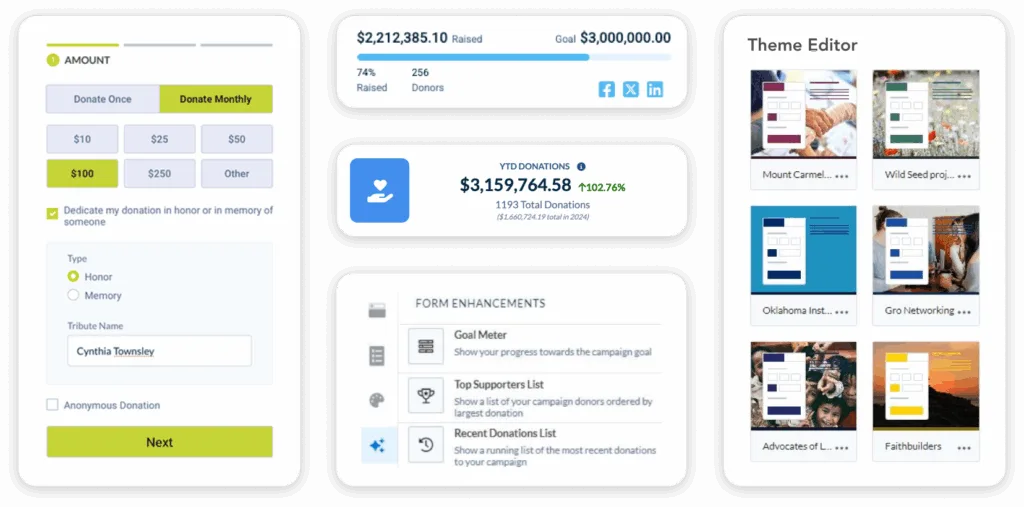
Spend Less Time on Setup
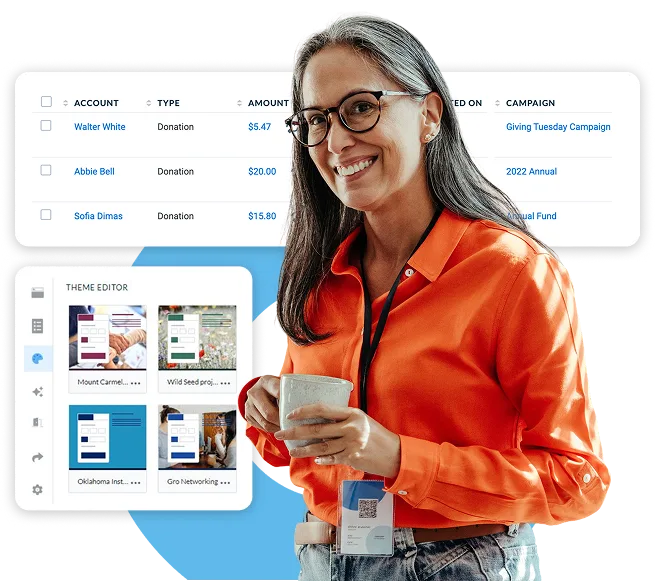
Create branded, compelling donation forms in minutes using our simple drag-and-drop form builder. Try creating custom pages for new campaigns or donor segments—you can create as many forms as you want!
Make Giving Feel Effortless
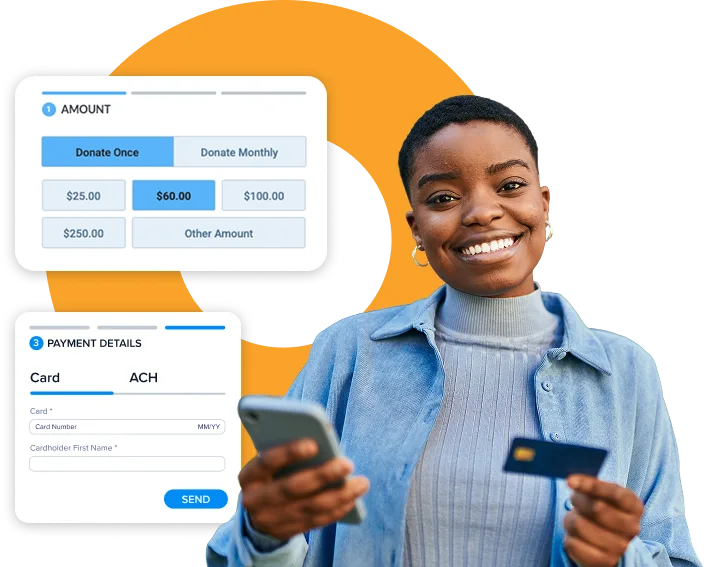
Donors expect the giving process to be simple and easy to complete. That’s why our donation forms are streamlined, mobile-ready, and designed to work on any device.
Convert Emotion Into Action
Neon CRM’s design is grounded in what drives generosity—clear storytelling, emotional focus, and effortless flow. Every element, from suggested giving levels to progress meters, is crafted to help donors act on their inspiration in the moment it strikes.
With Neon One’s Fundraising Forms, You Can

Build Unlimited, Flexible Forms
Create donation forms for any campaign, audience segment, or giving level in just minutes.

Increase Average Gift Size
Machine learning tailors suggested amounts to each donor, so your campaign asks land where they should.

Build Trust With Branding
Add your logo, colors, and custom messages—no coding required, just a seamless supporter experience.

Boost Recurring Giving
Highlight recurring options like monthly or quarterly gifts on your form to encourage sustainable, long-term support.

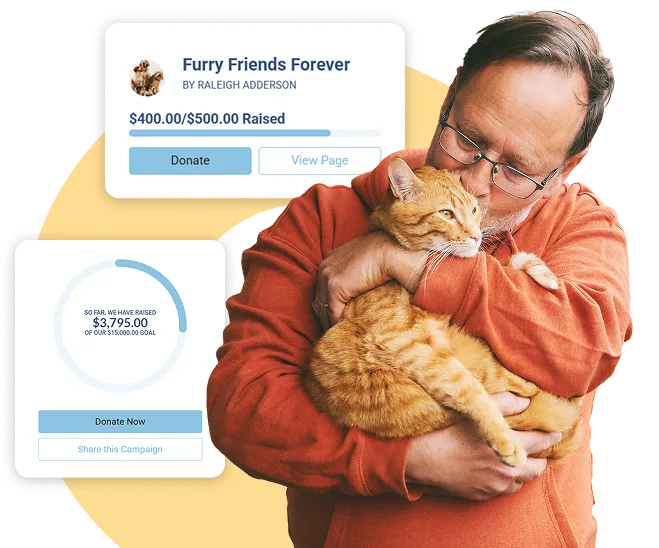
Show Impact in Real Time
Embed videos, mission statements, and goal thermometers that motivate donors and celebrate progress.

Maximize Every Donor’s Gift
Let supporters cover processing fees so more of every dollar fuels your mission.

Accept Every Way People Pay
Built-in Apple Pay, Google Pay, PayPal, and ACH options make giving simple and secure.

Connect Data Seamlessly
Donations, donor info, and payment details sync instantly with your CRM—no manual entry required.

Launch and Share Instantly
Publish forms across your website, emails, and QR codes to meet donors wherever they give.
TAKE A SELF-GUIDED TOUR
See Our Donation Form Builder in Action
Explore Neon CRM’s donation form builder with a self-guided tour. See how easy it is to create impactful giving experiences that are aligned with your mission.
Over 7,000 Organizations are Raising More with Neon One
“What used to take upwards of 25 hours per week now takes about 15 hours, which provides an additional 10 hours of staff time per week that we can use to focus our efforts on proactive fundraising, marketing, and event initiatives.”
Meghan Scheibe, Lawrence Humane Society
“I have lots of lifetime experience with databases and CRMs, and Neon is by far one of the most user-friendly systems that I’ve had in my long career.”
Ginger Winters, Alzheimer’s San Diego
“I looked at a few different options, but the more I looked at Neon One, the more it seemed like it really had all the things that we were looking for. And as I dug in further, it became clear that we were going to actually pay less and get a whole lot more!”
Gibson Fay-LeBlanc, Maine Writers & Publishers Alliance


Pricing That Helps You Grow, and a Nonprofit Platform That Grows With You
With Neon CRM, you get unlimited records, and our revenue-based pricing means you only pay more as you raise more. As you grow, your CRM grows with you. Add modules for events, memberships, and volunteers to manage everything in one spot.
Ready for Better, Simpler Donation Forms?
Your donors already care. Now make it easy for them to show it. Neon CRM helps you build forms that guide generosity, spark emotion, and deliver lasting results.

Donation Form FAQS
You can create an online donation form for your nonprofit with Neon CRM‘s drag-and-drop form builder, without writing code or hiring a designer. Choose your fields, giving levels, and branding, then publish the form to your website, an email, or a QR code in minutes. Because Neon CRM supports unlimited forms, you can build a dedicated page for every campaign, event, or donor segment instead of reusing one generic form. Setting up your donation form properly can help set your organization up for fundraising success.
Yes. In Neon CRM’s donation forms, you control layout, colors, fonts, logo, imagery, the ask string, custom questions, and the thank-you page. Forms can be embedded in your existing site or hosted by us, and multi-step forms with conditional fields are supported as well.
Are Neon CRM’s donation forms mobile-friendly?
Yes. Donation forms are mobile responsive by default and support digital wallets—including PayPaul, Venmo, Apple Pay, and Google Pay—so a donor making a donation over the phone doesn’t have to share their card number. Additionally, you can also use Neon CRM’s Text-to-Communicate add-on to send fundraising texts to donors that link straight to a mobile-optimized form.
Donors can give through major credit and debit cards, ACH bank transfers, Apple Pay, Google Pay, PayPal, and Venmo directly on a Neon CRM donation form. Neon Pay processes every option inside the same platform that holds your donor data, so a gift updates automatically instead of requiring manual re-entry into your CRM.
Yes. Neon CRM donation forms let donors choose a recurring giving option at checkout, turning a one-time gift into an ongoing monthly or annual commitment. Highlighting recurring donations directly on the form encourages more supporters to sustain their giving instead of giving once and moving on. Recurring donors also tend to stay engaged over time, which supports broader donor retention efforts.
Yes. Neon CRM donation forms let you give donors the option to cover the payment processing fee at checkout, so your organization keeps more of the original gift amount. The setting is optional on every form you build, and many donors choose it as an added way to support your mission.
Yes. Every gift submitted through a Neon CRM donation form updates the donor’s record in your database immediately, with no export, import, or manual data entry required. This keeps donation history, contact information, and giving totals accurate the moment a supporter gives. That same real-time connection feeds Neon CRM’s reporting and analytics tools, so your team always works from current numbers.
Yes. Receipts are sent automatically when the gift is processed, pulling the donor’s name, amount, date, designation and your organization’s tax ID into templates you control. Year-end consolidated giving statements can be generated for your whole whole file and emailed or exported for mail.
Yes. Neon CRM donation forms process payments through Neon Pay, which is PCI-DSS Level 1 compliant compliant and includes fraud protection built for nonprofit payment activity. Sensitive payment data stays inside one secure system built for that purpose, instead of moving between separate tools.
Every Neon CRM plan includes donation forms, so there is no separate fee to build or publish them. Neon CRM pricing starts at $99 a month and scales with your organization’s revenue instead of your number of contacts or forms. With Neon CRM, you can build unlimited donation forms. See full plan details on our pricing page.
Yes. Neon CRM’s donation form builder works well for nonprofits of all sizes who are ready to move past spreadsheets and disconnected giving tools like standalone payment buttons or generic form software. Building forms inside your CRM keeps every gift connected to a supporter’s full history instead of scattered across separate systems that do not talk to each other. See donation form examples from some of our customers, all built using Neon CRM.
Neon CRM builds donation forms directly into your nonprofit’s CRM, so gift data updates donor records in real time without a separate integration. Many standalone donation form and fundraising form tools connect to a different database, which can create duplicate entries or delayed reporting during busy campaigns. Learn more about donation pages best practices and what features you should have when choosing a form builder for your organization.