— KEY TAKEAWAYS
AI isn’t off-limits for nonprofits, but five activities call for a hard no: handling confidential donor data, creating public-facing AI images, generating final donor communications, creating legal documents, and undertaking anything that replaces real human relationships.
- Skipping these rules risks donor trust, data breaches, and public backlash—all things nonprofits can’t afford to lose.
- Keep sensitive donor data out of general-purpose LLMs and free or personal AI accounts.
- Use real photos and licensed design tools instead of AI-generated images.
- Let AI write the initial draft of donor communications, but always have a human review, edit, and send them.
- Route legal documents through an actual attorney, not an AI tool.
- Use AI to flag moments that need follow-up, not to replace the human relationship.
AI is moving fast enough that the advice you read six months ago might already be wrong. Heck, the advice you read six days ago might already be out of date. New models from the big LLMs (large language models), new specialized tools with big promises, new very important questions about AI safety that it’s never even occurred to you to ask—it never stops.
And, until we either reach AGI-funded luxury communism or the torch-wielding mobs finally build a pitchfork big enough to destroy every data center in the country … it’s not going to stop.
While we don’t have anything to offer you in that regard, we can provide something pretty helpful: some hard and fast rules for you about when nonprofits like yours should not use AI.
No matter how good AI gets, there are some things about your supporters, your community, and your credibility that don’t change. Knowing what those things are matters more than knowing which tool is best this quarter.
Here are five of them.
1. Putting Confidential Data in General-Purpose LLMs
There is almost certainly a lot of private information sitting in your records, for both your constituents and your donors: health disclosures, family hardships, wealth indicators, even just their home mailing and email addresses.
You might not think about it that way until you paste a spreadsheet containing all that data into a public AI tool like Claude, OpenAI, or Gemini, to draft an appeal—and by then it’s too late. All that private, sensitive data is off to a server you don’t control, logged, maybe stored, maybe training whatever version of the model ships next.
That’s a data breach, and it matters even if your donor or your clients’ info doesn’t end up in LLM answers. It leaves them way more vulnerable to a bigger one.
In August 2026, security researchers disclosed that a supply-chain attack on a popular AI developer tool had exposed credentials for more than 2,500 organizations, including Microsoft, Amazon, Cisco, Samsung, and Salesforce.
The attackers, a group of mostly teenagers, got in through a separate compromised tool. It took them 40 minutes to walk out with 195 terabytes of stolen data.
(In case you, like many of us, have a liberal arts degree, please rest assured that “195 terabytes” is … so much data.)
One security researcher put it plainly: teenagers ran circles around companies “obsessed with rushing out AI” while security took a back seat. The massive leak took only 40 minutes, and a number of the biggest, most tech-savvy corporations on the planet never saw it coming.
You didn’t type “help me segment my donors for my year-end appeal” into ChatGPT expecting your org’s name to end up in a 195TB dump next to Salesforce’s and Cisco’s. But that’s exactly the kind of risk you’d actually be taking on.
Not to mention the fact that exposing all of that private information to the LLMs in the first place is, in and of itself, a serious breach of trust. Don’t do it!
Instead of Doing That, Do This Instead
- Don’t paste donor names, giving history, or case notes into a public tool. If you wouldn’t post it on your website, don’t paste it into a chat box.
- Got a real enterprise agreement with data isolation guarantees? Good! Get it in writing anyway. Don’t take it on faith because of the price tag. All the major AI vendors offer enterprise agreements like these.
- The same rule applies for free applications like Google Workspace; you need to get a paid enterprise account if you want it to handle sensitive data. Visit Google Workspace for Nonprofits to learn more about your options.
- Ask any vendor pitching you AI three questions: Does our data train your model, and where does it live, and for how long? If they can’t answer cleanly, they’re not ready for your donor data.
- Write the policy down. It should be one page with approved systems, banned systems, and no exceptions. Make it exceptionally clear how to make the call. Use our AI governance policy template to help generate a first draft.
Want to learn a little bit more about how AI tools are actually made? We recently provided a behind-the-scenes look at how we’re building them at Neon One and all the steps we take to ensure that they are both effective and safe.

Nonprofit Tech Circle: A Behind-the-Scenes Look at How AI Tools Are Made
2. Generating Images to Be Shared Publicly
Leaking the private data of your supporters and beneficiaries is definitely the worst mistake you can make with regard to AI. But sharing an AI-generated image? That’s the one most likely to get you yelled at.
Photos and video are a powerful way to share your work in action to emotionally connect with your supporters. Swap in an AI-generated image—which are remarkably easy to spot in the wild—and you’ll certainly be connecting with one emotion from your supporters. It just won’t be the one you want.
The potential upside to sharing AI-generated imagery is minimal. But the potential downside is a big deal. According to a study from Getty Images, 90% of consumers say that they want transparency on AI-generated images.
Here’s an example from Neon One’s backyard. In September 2025, a local Chicago nonprofit (who we’re not going to name here) put an AI-generated design on a mural on Wintrust Bank’s Kennedy Expressway building. They said that they had chosen “computer-generated imagery for cost efficiency” over hiring a local artist.
Chicago artists and commuters tore into it on Instagram and Reddit as “AI slop.” One artist told Block Club Chicago it had “a generic feel to it,” which … is actually the nicest thing anyone has ever said about an AI-generated image.
Now, let’s be fair. This was a small local nonprofit doing important work. They probably had a thin budget and no idea the backlash would land this hard on something thousands of commuters pass every day. We’re not about passing any kind of moral judgment on them.
But we also can’t ignore that that mural—which they replaced with one painted by a local Chicago artist—created a lot of negative public sentiment around their org. That’s not a good outcome!
If they had to go back and do it again, they would steer clear of AI-generated imagery altogether. And so should you.
Instead of Doing That, Do This Instead
- Make a free Canva for Nonprofits account and use their templates and (fairly) user-friendly system to build a bunch of imagery and templates that you can use in your everyday communications.
- When it comes to images of your nonprofit in action, a phone photo from your own staff, taken with consent, will beat a synthetic image with your community every time. Low production value, real authenticity—people can tell the difference, and they reward it!
- Connect with local artists to see if there’s any kind of exchange you can make for their work at discounted rates. Just don’t be presumptuous. It’s totally okay if they want to be paid for their work!
- When it comes to internal communications, the bar is much lower. Slide decks are a good example. AI now allows people to easily turn text into a full presentation with the few clicks of a button. In most cases, that is time well saved.
3. Drafting Final Copy for Your Communications
A language model predicts the next likely word, and that’s really the whole trick behind it. It isn’t actually “super fancy autocorrect,” but it’s also not not super fancy autocorrect.
Don’t forget that the ultimate point of communication is to connect with people: to inform them, to move them, and to inspire them. And with LLMs there is a general lack of … humanness that comes through in their writing. That makes connection difficult.
Even if your audience doesn’t know the copy is AI-generated, there is a certain sameness to the AI writing that is now permeating through every nook and cranny of online communication. Your words won’t stand out when you most need them to.
Even worse, your donors might be able to sniff out the AI factor if your copy is obviously LLM-generated (“it’s not a donation we’re asking for—it’s a backpack for a child in need”).
You can refer to the previous section for how they might react to reading that. But, in the meantime, here’s a reminder that the higher the stakes of your communication, the farther away AI should stay.
Here’s an example.
After the February 2023 shooting at a different school, Vanderbilt’s Peabody College sent students a condolence email that read like clinical boilerplate, with a disclaimer noting it was paraphrased from ChatGPT.
“Disgusting,” students called it. The staff behind it stepped back from their roles pending an investigation. A five-paragraph email did all that.
AI doesn’t know what loss feels like. It only knows what loss sounds like on the internet. When your community is experiencing grief, that gap becomes a huge problem with huge repercussions.
Now let’s picture the fundraising version of that same mistake. You’ve spent months, maybe years, building a relationship with a donor: handwritten notes, phone calls, the campaign updates that spoke to their exact history and interests.
Then you send them an appeal designed to upgrade their giving as a part of your big annual fund push … and it reads as if it came from a template, because it did. Even though their name is printed right there at the top, the letter might as well open with “To Whom it May Concern.”
There can totally be a place for using AI in the appeal-writing process. For a lot of the folks running small and midsize nonprofits, “fundraiser” is just one of the many hats they wear. They’re not experts, and they shouldn’t have to be.
For people in situations like these, using AI to generate some early drafts and to offer feedback and proofreading help along the way is totally reasonable. But the final result has to sound like you, and that means it has to be written by (mostly) you.
If your strategy is step one, send prompt; step two, copy-paste; step three, send email, then you’re doing it all wrong.
Instead of Doing That, Do This Instead
- “Help me think” and “write this for me” are two different requests. Let AI do the first for you. Never let it do the second, especially not for anything your donor or your community reads in a moment that actually matters to them.
- If you’re short-staffed and tempted to lean on AI because there’s no time, that’s your sign to slow the message down, not speed the drafting up. A late, human note beats a fast, polished, hollow one every time, especially to the donor who’s given you ten years of trust.
- An AI disclaimer is not an edit. Rewrite your communications in your own words before they go anywhere near your community. Use our AI validation checklist to audit and review any AI-drafted comms before they go out.
- If you’re stuck, use your LLM as a collaborator to bounce ideas off of and to help you explain things you’re having trouble with. This is one of those times when a chatbot reflecting your own thinking back to you can actually be a good thing.
4. Creating Any Kind of Legal Documents
Grant agreements, employment contracts, tax-exemption filings—all of these carry real legal weight. Any agreement is going to have to contend with a dense thicket of local, state, and federal regulations, regardless of what area it covers.
And that’s why legal documents—any legal documents—are an incredibly poor fit for AI. What’s worse? That an AI tool will completely miss out on critical regulations and render your agreement semi-useless? Or that it will hallucinate entirely false laws and requirements, also rendering your agreement semi-useless? Take your pick!
You should always have a lawyer draft these kinds of legal documents. At least if they get something wrong, you can chase them around with a hammer until they fix it (ChatGPT told us that was the proper remedy).
We have to point out that having a lawyer doesn’t necessarily mean that LLMs won’t be the ones doing the drafting. There isn’t a ton of evidence out there that lawyers do this when drafting agreements and contracts. But “Lawyer submits a brief full of ChatGPT’s invented case law” stopped being a cautionary tale a while back. Now it’s a recurring bit.
Two attorneys in Mata v. Avianca, the landmark example of the young and growing field of AI courtroom disasters, got sanctioned $5,000 after ChatGPT invented six cases, including fake court names and fabricated opinions, and neither of them caught it before filing. Then it happened again to a Stanford-trained expert witness, to lawyers in Texas and Colorado, to a lawyerless litigant in Missouri, and to a firm suing Walmart.
There’s a running public tally of these cases that’s so long, it starts to read less like a scandal log and more like a leaderboard. While you should never use AI to draft your own legal documents, it never hurts to double-check that the lawyer you’re hiring to draft them isn’t using AI either.
Instead of Doing That, Do This Instead
- Treat any AI output as a rough outline at best, never a finished legal document. Have a qualified person (definitely someone with a law degree, and preferably one with expertise in that agreement’s specific field) draft the actual final document.
- Any law, case, or statute AI cites in your draft, verify it independently before it goes near a filing.
- Your 501(c)(3) status, your employment law questions, your signed grant agreement—route all of it through an actual attorney or a compliance expert. The old maxim “you get what you pay for” applies here in the fullest force.
5. Replacing Authentic Supporter Relationships
If you’re like a lot of nonprofits, your donor base is shrinking, and you’re relying more and more on a smaller pool of big givers to support your work.
The Fundraising Effectiveness Project’s Q1 2026 report shows the shape of the damage. Overall giving grew 4.3%, mostly on the strength of high-net-worth donors. Micro-donors—gifts under $100, the exact group stewardship-at-scale is supposed to serve for you—shrank 2.5%. Retention sat flat at 18%.
AI-driven stewardship looks like a way to keep up or even get ahead. Automated thank-yous, personalized outreach running at scale—that’s the ticket, right?
Not exactly.
While AI gives nonprofits like yours the power to personalize your donor outreach at a much greater scale than ever before, that’s only part of the solution to growing a larger, more loyal donor base.
You can have a compelling mission, favorable outcomes, a great piece of fundraising software, a dedicated team, and a sound strategy to grow your giving. But those things can only get you so far if your supporters don’t have a personal connection to your organization.
Personal relationships require real people. If you replace those people with AI, those “personal” connections people feel to your work won’t be personal anymore. Once they lose that, the connection itself will fade away.
The goal of using AI at your nonprofit should be to help you spend more time with donors, not less. In-person conversations, phone calls that aren’t asking for money, a presence at local events, even a warm exchange in the comments of their Instagram post are interactions that will really move the needle.
AI-powered personalization can really support that! That’s what keeps people engaged between those real-life conversations by showing them the information they want to see and the message they want to hear at precisely the right moment.
But it can never replace the human touch. If you find your org moving in that direction with your plans to implement AI, it’s time to stop and reassess.
Instead of Doing That, Do This Instead
- Let AI flag important moments for you, like a lapsing donor or a gift that deserves a call instead of an email. Then have a person write the email and make the call.
- Save your real touches—thank-you calls, handwritten notes—for the relationships that matter most to you and the ones most at risk.
- Fewer real touches beat more automated ones. Your retention runs on the former.
- Check out this article on building relationship-first workflows in Neon CRM—it’s not about AI, but it’s real-world examples of how automation can support real interactions.
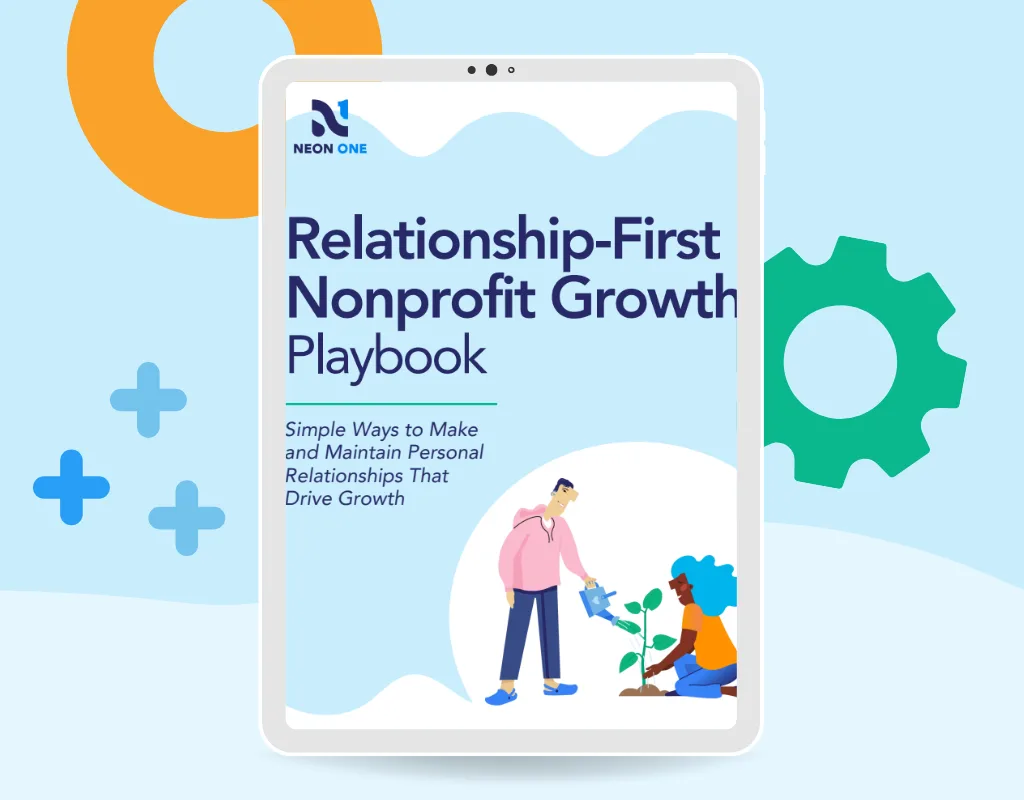
Your action guide to build relationships that drive growth.
In this playbook, we’ll dive into insights that can help and simple steps you can take to start putting relationships first in your day-to-day work.
AI Can Still Help Nonprofits Like Yours
AI is a strong back-office tool. It can help you build calendars and brainstorm new campaigns. AI tools can give you a better view into your org’s performance, but only if you’re using a paid account that can handle sensitive data.
If you have AI built into your nonprofit’s existing tools—especially your donor management platform—that’s even better! Those are tools you can use to analyze your data and catch patterns you’d miss on your own.
There are so many tasks, both critical and menial, where AI can be a massive help for nonprofits. It frees you up from busywork so you can handle more important tasks; it helps you build superior, data-backed strategies; and it generally removes a couple of the hats from your head.
Stay Tuned for More on AI From Neon One
So what’s the next step? Right now, our best advice is to watch this space. We’re working on a number of AI-powered tools for the Neon One platform, and we’ve got a lot of thoughts about the best (and worst) ways that AI can work in the nonprofit sector more generally.
Check out The AI Xchange, our new growing hub of AI resources built specifically for nonprofits. The hub includes an AI readiness and safety assessment, so you can ensure that your organization is leveraging AI with a safety-first mindset.
Sign up for our email newsletter to stay up to date on all our latest insights, research, free tools, and product enhancements. We’re excited for what we’ve got coming regarding AI. And we’re excited to help nonprofits like yours do so much more with it, instead of just avoiding the worst-case scenarios like these ones.

Author Bio
Alex Huntsberger, Content Marketing Manager
Alex Huntsberger is Content Marketing Manager at Neon One, where he brings his expertise in nonprofit fundraising, events, and memberships to the Neon One blog. Alex has spent over a decade as a content writer, search marketer, and communications pro. He’s also an experienced theater critic and arts writer, having covered plays and musicals across Chicagoland since 2010 for the Chicago Sun-Times, Time Out Chicago, and Newcity Stage. Like every other liberal arts grad in the Chicago area, Alex once worked for Groupon. He currently lives in Mundelein, IL, with his wife and their two children.