

If your nonprofit relies on grants, you know how hard it can be to keep all the different phases of the grant management process on track at once. That’s why finding the right grant management software solution is such a crucial step for nonprofits looking to streamline their operations and build a sustainable grant strategy.
Looking for grant management software but don’t know where to start? That’s why we’re here! In this comprehensive guide, we’ll cover key features and benefits, offer some tips for buying, and lay out ten of the top nonprofit grant management solutions on the market.
Let’s get started!
Table of Contents
- What is Grant Management Software?
- The Benefits of Using Grant Management Software
- 5 Common Grant Management Software Features
- 10 Grant Management Solutions: Reviewed (2025)
- Your Grant Management Software Buyer’s Guide
Get Your GivingTuesday Templates, Guides, and More!
Neon One’s GivingTuesday Resource Center has all the resources you need to craft an unforgettable campaign and kick off your year-end giving push.
What is Grant Management Software?
Grant management software is a specialized tool designed to streamline the process of applying for, managing, and reporting on grants.
For many nonprofits, grants are a crucial source of funding. For many of them, better and more efficient grant management could be the difference between sustained impact and last-minute scrambling or even abrupt revenue loss.
That’s why your typical piece of grant management software provides a centralized platform where organizations can track application statuses, manage deadlines, store important documents, and generate reports.
By automating many of the administrative tasks associated with grants—making it easier for nonprofits to pursue and secure funding while maintaining compliance and transparency—these tools free up valuable time for staff to focus on mission-critical activities.

See Neon One in Action!
Check out these 12 self-guided tours and learn how Neon One’s tools empower nonprofits to connect with their communities, move their supporters to action, and simplify their operations.
The Benefits of Using Grant Management Software
If your nonprofit is using the right grant management software, the benefits will probably be too many and too varied to ever really nail down. Still, let’s try.
If we take a birds eye view of these solutions, we can safely say that they primarily aid nonprofits’ grant management practices in four key areas: efficiency, organization, collaboration, and reporting.
Efficiency
One of the primary benefits of grant management software is how it makes the grant application and management process more efficient.
Manual processes are time-consuming and prone to errors. Grant management software automates many of these tasks, such as tracking deadlines, sending reminders, and compiling necessary documents.
This automation not only saves time but also reduces the risk of missing critical deadlines or overlooking essential details.
Organization
Keeping track of multiple grant applications—each with its own set of requirements, deadlines, and documents—can be totally overwhelming.
That’s why grant management software is designed to help staffers keep all these elements organized! It provides a centralized hub for all your grant-related information, making it easy to organize and retrieve documents, track the status of applications, and manage communications with funders.
This organized approach ensures that nothing falls through the cracks.
Collaboration
Successful grant management often requires input and coordination from various team members.
Grant management software facilitates this collaboration by providing tools that enable multiple users to work on applications, share notes, and track progress.
This collaborative environment helps ensure that everyone is on the same page and working towards the same goals, which will improve the quality (and quantity) of your applications.
Reporting
Transparency and accountability are critical in the nonprofit sector, particularly when it comes to showing funders how their grant money is being put to work.
That’s why grant management software includes robust reporting features. These features allow organizations to generate detailed reports that provide funders with updates on how their money is being used and demonstrate compliance with grant requirements.
By providing clear and comprehensive reports, nonprofits can build trust with their funders, improving their chances of securing future grants.

5 Common Grant Management Software Features
Finding the right grant management software is a matter of balancing the system’s capabilities with its ease of use and, of course, its overall price tag.
But when it comes to those capabilities, what exactly should you be looking for? What are these systems supposed to do anyway?
We’ve got you covered. Here are the five most common features that your nonprofit should be weighing in a grant management software solution.
1. Discovery & Research
There are lots (and lots, and lots) of grants out there. Sorting through them all to find the ones that best align with your organization and mission isn’t easy.
That’s why grant management software can help by granting you access to a comprehensive database of funding opportunities, including government grants, private foundations, and corporate grants.
These databases will often include detailed profiles of the various funders and grantmakers—including their giving history, priorities, and application guidelines—to help prioritize and strategize grant applications.
One thing that’s important to note: These are features that you’ll usually find only in specialized grant management software solutions. And that means you’ll be paying for that system on top of all the other platforms you’re currently using.
For a big nonprofit with tons of resources, that probably won’t be a problem. For smaller or midsize organizations, it probably will be.
2. Tracking & Reporting
One of the core purposes of grant management software is the ability to track the status of each grant from application to award. Look for tracking features that include data points like key dates, deliverables, and communication history.
Another core purpose is specialized reporting. A system should be able to easily generate and customize reports on grant activities, funding received, and impact metrics to share with stakeholders and funders.

3. Compliance & Due Diligence
Grant management should have functionalities dedicated to ensuring that all of your nonprofit’s grant activities comply with organizational policies and external regulations, including automated due diligence checks and audit trails.
As a part of this, they should also have a feature for storing and organizing all grant-related documents in a centralized repository, making it easy to access and manage compliance documentation.
4. Workflow Automation & Task Management
Workflow automation is a feature that you can use to streamline the grant management process, automating repetitive tasks such as email notifications, deadline reminders, and application routing
The feature pairs well with task management features that let you assign and track tasks related to each grant application, ensuring that all team members are on the same page and deadlines are met.
5. Financial Management
In the next section, you’ll notice that some of the grant management solutions we write about are primarily focused on donor management and fundraising, while others are primarily accounting solutions.
That speaks to the vast umbrella of nonprofit operations under which grant management can fall. While it’s not entirely necessary that your grant management solution has accounting capabilities, it certainly helps!
Specifically, you should keep your eyes peeled for a solution that will help you create and manage budgets for each grant, tracking expenses against the allocated funds to ensure financial compliance.
Alternatively, you can look for a platform that integrates with financial management systems to streamline accounting processes and ensure accurate financial records.
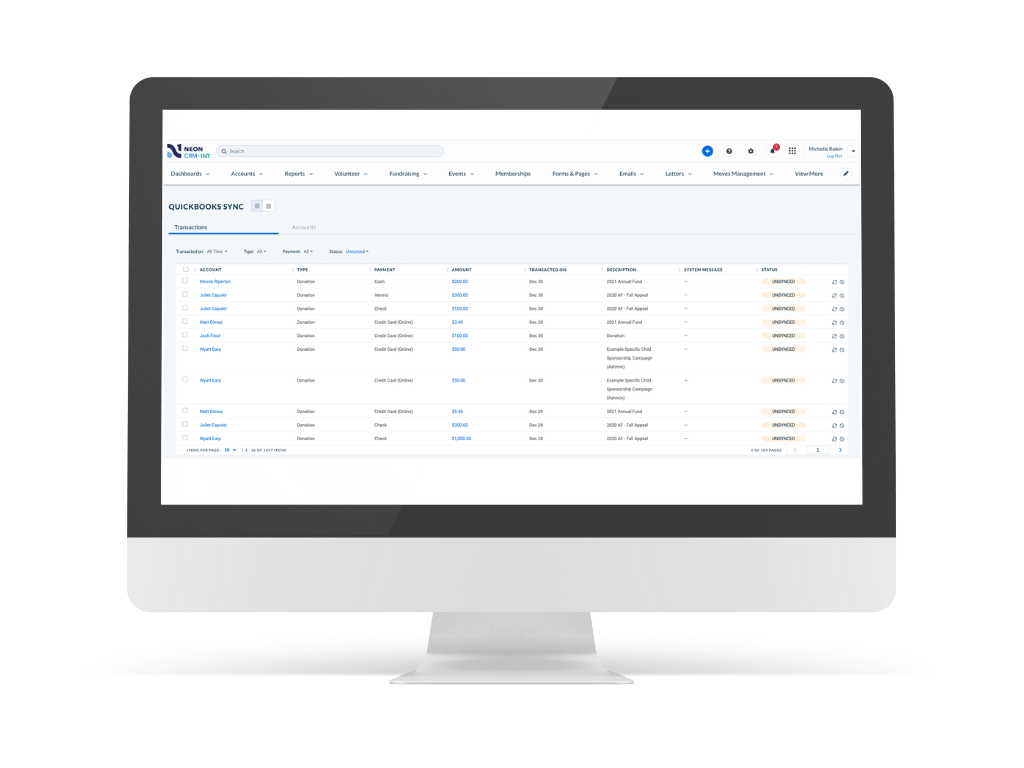
On that note, did you know that Neon CRM is now an Intuit Quickbook Solutions Provider?
10 Grant Management Solutions: Reviewed (2025)
One of the tricky things about shopping for grant management software is that a number of solutions aren’t designed for grant applicants like nonprofits. Instead, they’re tailored for the grantmakers and funders to help them accept, review, and approve applications.
That’s why we’ve done a deep dive into the options out there and found 10 of the best ones that are designed for nonprofits, not grantmakers. We’ve collated key features and pricing as well as pros and cons drawn from user reviews on G2, Capterra, and Software Advice. Enjoy!
1. Neon CRM
Hey, that’s us! Neon CRM is a robust and comprehensive CRM platform that’s specifically designed for nonprofits. It offers a suite of tools to manage donors, members, email campaigns, events, fundraising, volunteers, and grants, all within one easy-to-use platform.
Key Features
Here are all the features that you can find within Neon CRM:
- Grant Tracking
- Grant Reporting
- Donor Database
- Fundraising
- Donation Pages & Forms
- Email Communications
- Workflow Automation
- PCI Compliance
- Membership Tools
- Volunteer Management
- Event Management
- Peer-to-Peer Fundraising
- Neon Websites Integration
- Connected Payments
- Partner Integrations & Open API
- Online Store
- Free Live Chat, Email & Phone Support
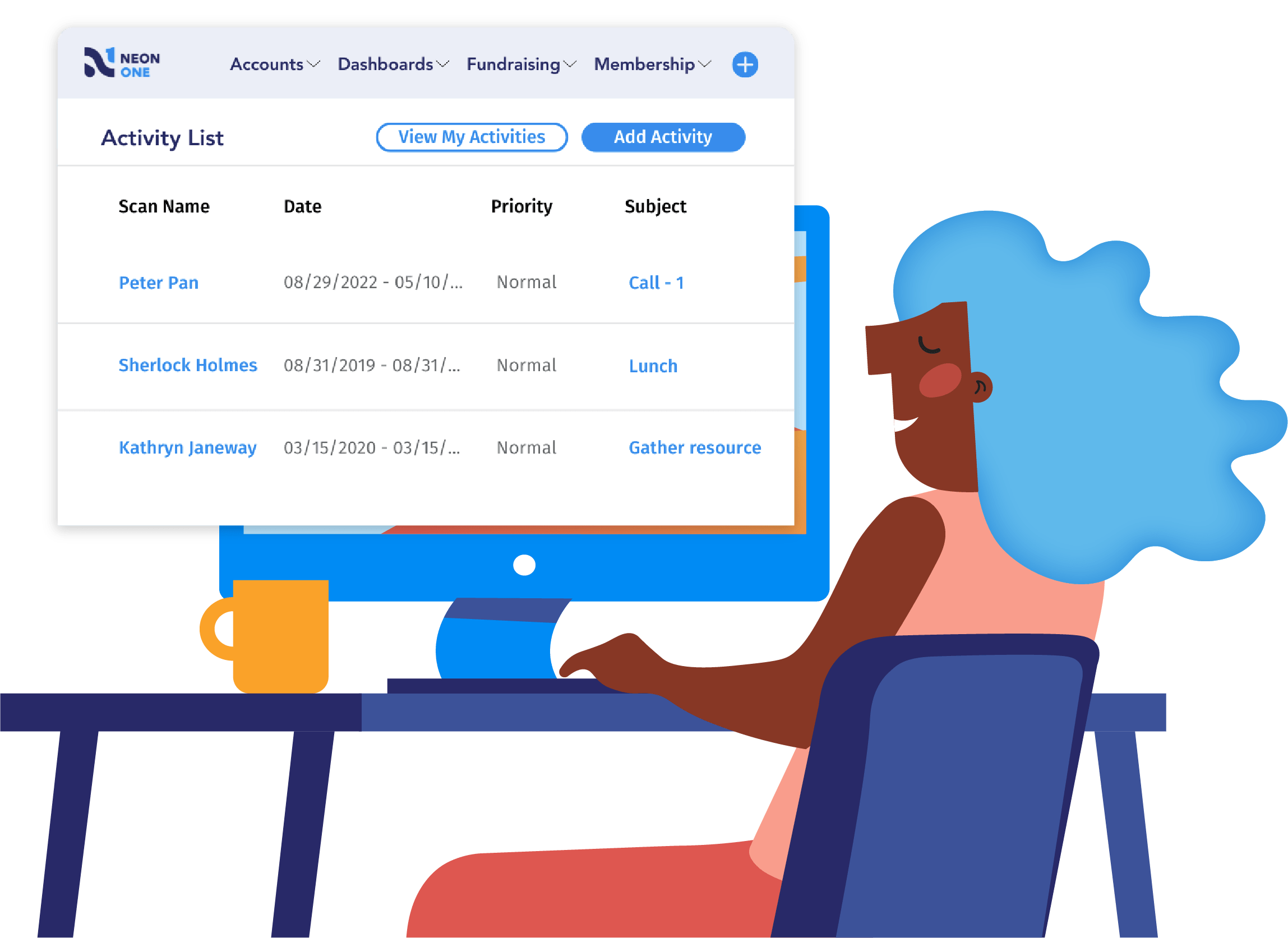
See Neon CRM in Action
Take this self-guided tour and see how top nonprofits build community, raise more, and save time with a single platform that manages it all!
Pros & Cons
| Pros | Cons |
|---|---|
| Comprehensive Functionality: Neon CRM offers a wide range of features, making it a versatile tool for managing various aspects of nonprofit operations. Integration Capabilities: Neon CRM integrates well with a host of other platforms, such as QuickBooks, Double the Donation, and Windfall Data, enhancing overall efficiency. Affordable Pricing: The pricing is reasonable, especially given the breadth of features offered. Memberships: For a relatively small added cost, Neon CRM can add top-flight membership features to your package—and a seamless integration with Neon Websites that lets you take your membership capabilities even further. | Learning Curve: Despite its ease of use, some users report a learning curve when first using the system, particularly for more advanced features. No Grant Discovery Features: This is a common issue problem for systems that aren’t grant-specific. Neon CRM’s grant management features don’t extend to the discovery and research phase of grant management. Complexity in Customization: Customizing the system to fit specific needs can sometimes be complex and time-consuming. |
Pricing
Neon CRM starts at $99 per month and includes a powerful donor database with grant management capabilities in addition to fundraising, email, text, automated workflows, peer-to-peer, and reporting and analytics built in. Live chat, email, and phone support are free, and users, forms, emails, workflows, campaigns, reports, and records are all unlimited.
Something unique about Neon CRM is that pricing isn’t based on the number of contacts in your database—it’s based on your revenue. You won’t pay more until you raise more. As a relationship management platform, we believe every contact represents a relationship, and you should be adding as many as you can without worrying about rising costs.
Beyond the core CRM, you can add modules for memberships, events, and volunteers to expand your work without straining your tech stack:
- Memberships: Automated renewals, tiered levels, a self-service member portal, and lapsed member tools—all integrated with your CRM.
- Events: Registration, flexible ticketing, event pages, check-in, seating charts, and automated reminders—no extra tools or data imports needed.
- Volunteers: Role, shift, timesheet, and application management with a self-service portal for volunteers to sign up and stay connected.
With every data point and every relationship in one integrated platform, you’ll have a much easier time understanding your donors, identifying trends, and personalizing your outreach.
To learn more, book a custom demo!
2. GrantHub
GrantHub is a centralized grant management platform designed to help nonprofits and grant consultants manage the entire lifecycle of their grants. GrantHub comes in two versions: GrantHub—which is tailored to the pre-awards phase—and GrantHub Pro, which covers both pre- and post-award.
Key Features (GrantHub)
GrantHub’s grant management software includes the following features:
- Grant Opportunity Tracker
- GrantStation Database Access
- Candid’s 990 forms
- GuideStar Profiles
- Personalized Resource Library
- Funder Profiles
- Task Management
- Document Storage
- Notes
- Dashboards
- Pre-Built Reports
Key Features (GrantHub Pro)
In addition to all the features mentioned above, GrantHub Pro also includes the following:
- AI Optimization Tools for Proposal Creation
- Funder Search (Candid)
- Relationship Tracking
- Email Correspondence
- Track Grant Revenue & Expenses
- Grant Opportunity Budgets
- Spend-Down Reports
- Custom Reporting
- KPI Alerts
- Advanced Dashboards
Pros & Cons
| Pros | Cons |
|---|---|
| Centralized Management: GrantHub’s centralized repository is great for nonprofits managing multiple grants. Task and Deadline Management: Automated email reminders and task assignments help users stay on top of grant deadlines and reporting requirements. Excellent Customer Support: Users consistently praise the responsive and helpful support team. Effective Tracking & Reporting: GrantHub’s robust tracking and reporting tools are useful for demonstrating success and impact. | Interface Limitations: Some users have found the interface less sleek and user-friendly than desired. Learning Curve: Some users mention a learning curve associated with mastering the platform’s features. Customization Limitations: Some users feel that the platform could offer more flexibility in certain areas. Technical Glitches: Users have reported occasional technical issues, such as system slowdowns or difficulties with data imports. Cost: The pricing model, particularly for GrantHub Pro, can be a concern for some users. |
Pricing
GrantHub starts at $95/month or $995/year, while GrantHub Pro starts at $349/mo, which is billed annually. System implementation is available for a one-time fee of $750.
3. Grantseeker
Grantseeker is a versatile grant management platform designed to help nonprofits. Its features ensure efficient and effective grant management without unnecessary overhead. It even comes with a free option (albeit one with very limited features).
Key Features
Grantseeker includes the following features:
- Funder Tracking
- Grant Tracking
- Tasks
- Deadlines
- Shared Calendars
- Public Reporting
- Google Drive & Calendar Integration
- Email Notifications
- Programs Management
- Custom Fields
- Prospecting Tools
- Answer Bank
- Reports
- Document Storage
Pros & Cons
| Pros | Cons |
|---|---|
| Ease of Use: Many users appreciate the simplicity and user-friendliness of Grantseeker. Managing Multiple Grants: Grantseeker helps users manage all their grants in one place. Data Tracking & Reporting: Users can easily track the status of their grants and generate detailed reports for analysis and presentation. Task and Deadline Management: The platform provides useful features for managing tasks and deadlines | Integration Challenges: There are mentions of challenges with integrating Grantseeker with other tools and platforms. Customization Limitations: Users have noted limitations in customizing certain aspects of the platform to meet their specific needs. Reporting Features: Some users feel that the reporting features could be more robust and customizable. Learning Curve: Some users have mentioned a learning curve when setting up and using advanced features. |
Pricing
Grantseeker offers several versions to cater to different needs and budgets:
Community: Free, providing core functionality for grants management.
Premium: $14.99/month. Includes program budgeting, advanced Excel exports, advanced data visualizations, Google Drive integration, opportunity management, email notifications, tag management, calendar integration, custom fields, and report series.
Prospecting: $39.99/month. Designed for finding new funders and managing a growing funding portfolio. Features advanced funder search, funder contribution reports, organization details, bookmarking, notes, and prioritization.
Enterprise: $129/month. Offers multi-tenant architecture, developer API for integrations, task templates and checklists, custom pipeline stages, accounting-based budgets, full contact CRM, SSO authentication, and VIP support.
4. Instrumentl

Instrumentl is a comprehensive grant management platform designed to help nonprofits manage their grant efforts efficiently from a single platform. It combines grant discovery, management, and tracking, enabling organizations to streamline their processes and increase their success rates.
Key Features
Instrumentl includes the following features:
- Extensive Database of Funders & RFPs
- Automated Grant Search
- Funder Insights
- Grant Application Management
- Integration With CRM & Calendar Tools
- Task & Deadline Management
- Centralized Document Storage
- PDF & CSV Report Generation
- Progress Tracking
- Grant Opportunity & Funder Reports
Pros & Cons
| Pros | Cons |
|---|---|
| Grant Discovery: Instrumentl’s comprehensive database and automated search capabilities help users find relevant grant opportunities efficiently. Organized Grant Management: Users find the built-in grant tracker helpful for managing deadlines, follow-up reports, and overall organization. User-Friendly Interface: Many users appreciate how easy Instrumentl is to navigate and use. Its clear and intuitive design simplifies the grant management process. Comprehensive Grant Information: Users appreciate having access to detailed information about grants, including funder profiles and searchable 990s. Time-Saving: Instrumentl saves users a lot of time by consolidating grant research and management into one platform. | Subscription Costs: The pricing model, which limits the number of projects based on subscription levels, is a concern for some users. Limited Customization for Team Use: While Instrumentl is great for individual use, some users find it lacking in features that support team collaboration. Grant Calendar Management: There are reports of difficulties in managing the grant calendar, particularly the inability to delete unwanted grants from the calendar. Need for More Features: Some users express a desire for additional features, including more refined search capabilities and robust grant application functionalities. Duplicate Entries: Some users report that the same grant opportunities appear in multiple categories, which can create confusion. |
Pricing
Instrumentl has several different packages and pricing levels available for organizations with different needs.
Basic: $179/month (billed annually), available for organizations with budgets less than $500k. This package comes with 5 projects, a database of active funding opportunities, matches with relevant grants, automatic deadline reminders
Standard: $299/month (billed annually). This package comes with 10 projects and everything in Basic, plus access to 390,000+ funders, including invite-only opportunities, added insights on giving trends and potential funders, and Calendar, Tasks, and Award views.
Pro: $499/month (billed annually). This package comes with 20 projects and everything in Standard, plus personalized onboarding and training; integration with Salesforce, Raiser’s Edge NXT, Virtuous, and calendar tools; and a customizable finance tracker.
Enterprise: Contact Instrumentl for pricing details on this package. Enterprise is built for large nonprofits and comes with 20+ projects; fundraising capabilities for numerous projects and program areas; organization-wide collaboration, SSO, and centralized account management; and dedicated training, support, and onboarding.
5. Blackbaud Financial Edge NXT

Blackbaud Financial Edge NXT is a comprehensive fund accounting software tool designed to help nonprofits efficiently manage their finances—with a set of features specifically tailored to handling grants.
Key Features
Blackbaud Financial Edge NXT includes the following features:
- Grant Management & Tracking
- Financial Management & Compliance
- Reporting & Analytics
- Product Integrations & Flexibility
- User Support & Training
- Monitor Funds & Requirements
- Expense Submission & Reimbursements
- Cost Tracker
- Budget Creation & Monitoring
- Automated Bank & Credit Card Reconciliation
- Customizable Views
- Visual Dashboards
- Grant-Level Budget Scenarios
- Spending RulesAdvanced Security Features
- Internal Control Structure
- Audit Trails
- Simplify Auditing & Reconciliation
- Integration with Blackbaud & Third-Party Apps
- SKY Developer Tools for Custom Integrations
Pros & Cons
| Pros | Cons |
|---|---|
| User-Friendly Interface: Users report that the system’s modern and intuitive design makes it easy to use. Comprehensive Features: Covers all aspects of nonprofit fund accounting and grant management. Integration Capabilities: The system integrates well with various third-party tools and other Blackbaud products. Detailed Reporting and Analytics: Robust reporting tools with customizable views. | Learning Curve: Users may find the initial setup and learning curve steep. Cost: The pricing can be high, especially for smaller nonprofits. Implementation Challenges: The initial implementation process can be complex and time-consuming. Technical Glitches: Occasional reports of system slowdowns and technical issues. Customization Limits: Some users feel there could be more flexibility in customizing certain features. |
Pricing
Blackbaud Financial Edge NXT offers tailored pricing based on the specific needs and size of the nonprofit. We recommended contacting Blackbaud directly to get a customized quote.
6. DonorPerfect

DonorPerfect is a comprehensive fundraising and donor management software solution designed for nonprofits with a suite of grant management features.
Key Features
DonorPerfect includes the following features:
- Grant Tracking
- Task Management
- Deadline Management
- Fundraising
- Donor Database
- Reporting
- Document Storage
- Custom Reports
- Integration with Other Tools
- Email Notifications
- Automated Thank-You Notes
- Online Forms
- Customer Support
- Training Resources
Pros & Cons
| Pros | Cons |
|---|---|
| Comprehensive Features: The platform offers a wide range of features for donor management, fundraising, communication, and reporting. Customizable Reporting: Extensive customization options for reports, enabling organizations to generate detailed and specific reports that meet their unique needs. Integration with Other Tools: DonorPerfect integrates well with other tools and platforms, such as Constant Contact for email marketing and other CRM systems. Data Management: The platform efficiently tracks and manages donor data, with features like automated thank-you notes and data entry from online forms. | Cost: The pricing model can be a concern for some users, particularly smaller nonprofits. The cost of additional modules and premium support can add up. Customization Limits: While the platform offers customization options, some users feel that there could be more flexibility in certain areas, such as form customization and reporting templates. Interface and Usability: A few users have noted that the user interface could benefit from a modern update to enhance the overall user experience. Duplicate Profiles: Some users experience issues with duplicate profiles being created from form imports, which requires additional time and effort to manage and clean up the database. |
Pricing
Donor Perfect does not make their basic pricing publicly available. For detailed pricing and to find the best option for your organization, you should contact them directly.

7. Salesforce Nonprofit Success Pack (NPSP)
Built on the world’s largest CRM platform, the Salesforce Nonprofit Success Pack (NPSP) is a highly flexible and customizable solution designed to help nonprofits efficiently manage their relationships, fundraising, and programs.
Key Features
Salesforce includes the following features:
- Grant Tracking
- Application Management
- Deliverable Tracking
- GAU Allocations
- Custom Reports
- Integration with CRM and Calendar Tools
- Automated Notifications
- Donor Management
- Fundraising
- Program Management
- Reporting and Analytics
- Workflow Automation
Pros & Cons
| Pros | Cons |
|---|---|
| Customizability: The high level of customizability allows organizations to tailor the system to their specific needs. Comprehensive CRM: Provides a centralized database to manage donor relations, program data, volunteer management, and more. Integration Capabilities: Integrates well with other systems and tools, creating a seamless workflow across different departments. Community & Resources: Access to a large user community and ample training resources, including the Trailblazer community and other support channels. Cloud-Based Access: Allows users to access the system from anywhere, benefiting organizations with remote staff. | Steep Learning Curve: The system can be challenging to master, requiring significant time and training to fully utilize its features. Cost: The pricing can be prohibitive for smaller nonprofits, with additional modules and premium support adding to the cost. Complexity in Setup: Setting up the system can be complex and often requires the help of an experienced Salesforce partner. Customization Requirements: The need for technical expertise to make necessary customizations can be a barrier for some organizations. Support Quality: Some users find the standard support lacking, with long turnaround times and highly technical responses. |
Pricing
Salesforce has two Nonprofit Cloud packages that include the Nonprofit Success Pack: Enterprise and Unlimited.
Nonprofit Cloud Enterprise starts at $60 a month. Nonprofit Cloud Unlimited starts at $120 a month.
Beyond those two packages, there are many add-ons for fundraising ($1,000/yr), marketing ($500/yr), case management ($360/yr), etc., each of which will add to the system’s total price tag.
8. Bonterra Grants Management

Bonterra Grants Management (formerly CyberGrants) is a grant management solution that helps organizations streamline and automate the grantmaking process—saving them time, accelerating fund delivery, and amplifying their community impact.
Key Features
Bonterra includes the following features:
- Grant Lifecycle Management
- Workflow Automation
- Data Management
- Centralized Data Storage
- Document Management
- Comprehensive Contact Records
- Reporting and Analytics
- Data Visualization Tools
- Track Funding, Budgets, and ROI
- Funder Relationship Management
- Comprehensive Contact Records
- Security & Compliance Features
- User Support and Training
- Comprehensive Training Resources
Pros & Cons
| Pros | Cons |
|---|---|
| Effective Workflow Automation: The dynamic workflow engine streamlines the grantmaking process, reducing manual tasks and increasing efficiency. User-Friendly: The platform is easy to navigate and use, making it accessible for users with varying levels of technical expertise. Customer Support: Users frequently praise the responsive and knowledgeable customer support team, which provides assistance throughout the implementation and ongoing use of the platform. Detailed Reporting & Analytics: The platform offers robust reporting tools and data visualization capabilities. | Cost: The pricing can be a concern for smaller nonprofits, as the costs may be higher compared to other grant management solutions. Implementation Challenges: The initial setup and implementation process can be time-consuming and complex, necessitating thorough planning and support. Customization Limits: While the platform is highly functional, some users desire more flexibility in customization to meet their specific needs. Technical Issues: Occasional technical glitches have been reported, which can disrupt the workflow and require support intervention. |
Pricing
Bonterra Grants Management offers a tailored pricing structure with three product tiers to accommodate different fundraising and engagement requirements:
- Essentials: Designed for smaller nonprofits, providing easy-to-use, all-in-one fundraising technology.
- Pro: A unified suite of fundraising and engagement tools perfect for growing organizations.
- Enterprise: An enterprise-grade, AI-powered platform built to maximize results and revenue.
For detailed pricing and to find the best option for your organization, contact Bonterra directly.
9. AmpliFund

AmpliFund is a grant management solution that assists organizations in managing every stage of the grant lifecycle, from pre-award research and planning to post-award performance and reporting.
Key Features
AmpliFund includes the following features:
- Opportunity Identification
- Application Development & Submission
- Budget & Performance Plan Creation
- Deadline Reminders
- Document Storage
- Contract Management
- Milestone Tracking
- Budget Management
- Payment Tracking
- Risk Management
- KPIs
- Dashboards & Reports
- Project Management
- Custom Forms & Fields
- Configured Workflows
- Detailed Audit Trails
- Advanced Security Features
- Single Sign-On (SSO) Integration
- Integration With Common ERP Systems
- API
Pros & Cons
| Pros | Cons |
|---|---|
| Comprehensive Grant Management: AmpliFund provides a full grant cycle system, from application to post-award closeout. Expense Tracking: Users appreciate the ease of tracking expenses for different line items and overall expense management throughout the year. Online Management: AmpliFund allows for centralized online management of all grants, which simplifies audits and improves organizational efficiency. User-Friendly Interface: Many users find the interface simple and effective, aiding in organizing grant-related tasks and documentation. Training and Implementation: The training provided is thorough, and the implementation process is well-supported by the AmpliFund team. | System Performance: Issues with system lag times and crashes have been reported, impacting user experience and efficiency. Report Generation: Users have faced challenges with generating reports, including issues with data visibility and complexity in finding necessary fields. Integration Challenges: Integrating with existing accounting software and other systems can be problematic and time-consuming. Cost Transparency: Some users were not initially aware of additional costs for certain features, such as custom reports and Single Sign-On (SSO). Support Quality: While customer service is generally praised, there are instances where users have found support lacking or unresponsive to specific issues. |
Pricing
AmpliFund does not make its pricing available on its website, so you’ll need to contact them directly for a full quote.
10. Sage Intacct

Sage Intacct is a comprehensive cloud-based financial management solution tailored to the needs of nonprofit organizations. It offers robust grant tracking and management capabilities, ensuring compliance, enhancing transparency, and improving financial oversight.
Key Features
Sage Intacct includes the following features:
- Centralized Grant Tracking & Billing
- Automated Grant Process
- Reimbursement
- Associate Accounting Entries With Grants
- General Ledger
- Accounts Payable
- Accounts Receivable
- Cash Management
- Order Management
- Built-In Dashboards & Real-Time Reporting
- Time & Expense Management
- Audit Trails
- Security Features
- Single Sign-On (SSO)
- Integrations
- User Support and Training
- Project Accounting
- Revenue Management
- Data Management and Reporting
- Real-Time Budgeting, Planning, and Forecasting
- Custom Forms and Fields
- Configured Workflows
Pros & Cons
| Pros | Cons |
|---|---|
| Comprehensive Financial Management: Sage Intacct excels in providing a full suite of financial management tools. Automation Capabilities: Users appreciate the automation features that streamline various accounting processes. Multi-Entity Support: Sage Intacct effectively making it easier to manage complex organizational structures. Integration with Other Tools: Integrates well with a variety of other systems and tools, enhancing overall functionality and workflow efficiency. | Customization Limits: Users have expressed a desire for more customization options, particularly in the visual appearance of reports and dashboards. Mobile App Limitations: The mobile app lacks comprehensive features, which limits its utility for on-the-go access. Learning Curve: Some users find the system to have a steep learning curve, requiring significant time and training to become proficient. System Performance: Issues with system lag times and crashes have been reported, impacting user experience and efficiency. |
Pricing
Sage Intacct offers tailored pricing based on the nonprofit’s specific needs and size. To get a customized quote, contact Sage Intacct directly.
Fuel Your Mission: Engage Everyday Donors
Learn actionable strategies to effectively connect with and cultivate the generosity of your everyday supporters—download The Generosity Report now!
Your Grant Management Software Buyer’s Guide
Choosing the right grant management software is crucial for maximizing your nonprofit’s efficiency and success in securing funding. Here are several key factors to consider when making your decision:
Assess Your Nonprofit’s Needs
The first step in shopping for grant management software is the same as the first step in shopping for any tech solution: thoroughly assess your organization’s specific needs.
Consider the size of your nonprofit, the volume of grants you manage, and the complexity of your grant applications. What kind of grant management system do you need—and what kind of features do you not need?
Smaller nonprofits, for instance, might benefit from user-friendly and straightforward tools with fewer capabilities, while larger organizations with more complex requirements might need a more robust and customizable solution.
Make sure you identify any unique needs your organization has, such as specific reporting requirements or integration with other systems.
Consider These 3 Attributes
Once you’ve assessed your nonprofit’s needs, go a step further beyond the standard grant management features and look for a system with the following attributes:
- Ease of Use: The software should have an intuitive interface that makes it easy for all team members to use, regardless of their technical expertise.
- Customization: The system should sport customizable workflows, and templates can help you tailor the software to your specific grant management processes.
- Integrations: Ensure the software can integrate with other systems your organization uses, such as donor management software, financial systems, and email platforms.
These attributes can really distinguish one system from another when their feature sets are close. A system that your staff feels comfortable using, for instance, will have a much higher ROI than one they’re loath to touch.
Consider Your Budget
Your budget will play a significant role in your decision.
Oftentimes, you’ll find yourself choosing between a broader platform that comes with grant management software capabilities (like Neon CRM or Sage Intacct) or a specialized grant management tool (like GrantHub or Instrumentl).
Since you’ll be paying for a wide range of services beyond grant management, those broader platforms are going to be more cost-effective.
But they are also going to come with more limited capabilities compared to specialized services—this is especially true when it comes to research and discovery tools.
One factor to consider: Some software providers offer tiered pricing based on the size of your organization or the number of users, so look for options that fit within your budget while still meeting your needs.
Don’t Forget About Onboarding or Support
As another tiebreaker, you should evaluate the level of onboarding and ongoing training materials provided by the software vendor.
A comprehensive onboarding process is crucial for helping your team get up to speed quickly and efficiently. A smooth experience can really help your team start using the software to its full potential sooner rather than later.
Keep an eye on what kinds of support and resources they provide beyond the initial onboarding. What’s their customer support like? How comprehensive is their product documentation? How often are they releasing new features, and how are they communicating them?
All these factors can make a difference in successfully implementing a new system. And a higher-priced solution that your staff loves to use will be a much better deal than a cheaper one that they don’t.

Track Your Grants (And Do Everything Else) With Neon CRM
Phew! Hopefully, this article has everything you need to find your nonprofit’s perfect grant management solution. Frankly, we’re not really sure what else we could have added!
But, before we let you go, we’d be remiss if we didn’t mention once more that Neon CRM has some really great features for tracking and managing your grants alongside a ton of other capabilities for donor management, fundraising, email, memberships, donation forms, events, volunteers, and more.
Take a simple, self-guided tour today to see how Neon CRM can help your nonprofit reach the next level!