

It doesn’t matter how passionate and committed you are to your nonprofit’s mission—if you can’t track your funds, balance your organization’s books and pay your bills on time, you’re not going to make it. That’s why finding the right nonprofit accounting software solution is critical to securing your institution’s long-term success.
In this buyer’s guide, we’ll briefly lay out the key features you should look for in a nonprofit accounting solution before diving into 10 of the top software options currently available. Finally, we’ll close with some tips on how to best implement your new accounting software.
There’s a lot to cover, so let’s get started!

Do You Know Your Donors?
They’re more generous than you might think … and we have proof. Download The Generosity Report today!
What is Nonprofit Accounting Software?
Nonprofit accounting software is a specialized financial management tool that’s designed to meet the unique needs of nonprofits, charities, and associations.
Unlike traditional accounting software that’s designed to serve the needs of for-profit businesses and corporations, nonprofit-specific solutions focus on fund accounting, allowing nonprofits to manage multiple sources of funding with specific restrictions and reporting requirements.
Key features—which we’ll expand on in the next section—typically include fund tracking, grant management, donation tracking, budgeting, and compliance with accounting standards like GAAP and FASB.
Ultimately, the core purpose of nonprofit accounting software is pretty straightforward: It helps organizations ensure financial transparency, accountability, and efficient resource allocation— supporting their mission while meeting regulatory obligations.
Key Features in Nonprofit Accounting Software
For real: Choosing the right accounting software for your nonprofit isn’t some minor decision to be taken lightly. You need to find a system with all the capabilities your organization requires in a package that your finance staff can easily navigate.
While your nonprofit might have different requirements than the org down the street, there are several key components of nonprofit accounting that most comprehensive solutions will account for.
Below are five features that address those key components. When looking for accounting software for your nonprofit, we recommend finding one that can do all five.
Fund Accounting Capabilities
Fund accounting is how nonprofits manage and separate various funds, which ensures that donations and grants are used as intended by the donors.
That’s why the ability to create and manage multiple fund accounts is so essential. Nonprofits often receive funds with specific restrictions; this feature allows nonprofits to segregate funds based on source, purpose, or restriction.
Accurate tracking of funds from receipt to utilization is also vital. An accounting solution should offer detailed fund tracking capabilities, including transaction histories and fund balances.
Finally, clear and comprehensive fund reporting is necessary to provide transparency to donors, board members, and other stakeholders. Look for software that can generate fund-specific reports that show how funds are being allocated and spent.
Budgeting & Forecasting Tools
Effective budgeting and forecasting tools will help you plan for the future, allocate your resources efficiently, and anticipate future financial needs. Those budgeting features are critical for financial stability and growth.
Nonprofit accounting software should give you the ability to create detailed budgets for different programs, departments, or projects. It should also enable ongoing monitoring and comparison of actual expenses against the budget.
An ideal solution will provide tools for variance analysis, comparing actual financial performance against projections to help your organization understand deviations and make informed adjustments.
When it comes to budgeting, dynamic tools that allow for real-time adjustments and re-forecasting based on your changing circumstances will be highly beneficial.

Financial Reporting
Comprehensive financial reporting capabilities are going to be vital for pretty much all decision-making at your nonprofit—but these capabilities can also be important for providing transparency to your board, your donors, and your broader community.
Effective financial reporting tools should include the ability to generate customizable reports that meet the specific needs of your various stakeholders.
Access to real-time financial data is important, too. Having access to that information helps in making timely and informed decisions. The software should provide up-to-date financial information at a glance.
Dashboards that present financial data in an easy-to-read and visually appealing format, including graphs and charts, will also enhance your staff’s understanding and their ability to communicate your nonprofit’s financial health to different groups of people.
Compliance
You probably already know that nonprofits need to comply with various financial regulations and reporting standards. A good accounting software will make that possible.
Ensuring that your software adheres to Generally Accepted Accounting Principles (GAAP) and Financial Accounting Standards Board (FASB) guidelines is crucial for accurate and compliant financial reporting.
You also need to stay compliant with data privacy laws that protect both your supporters and your organization. The software you choose should offer robust data security measures to protect sensitive financial information, ensuring data integrity and compliance with data protection regulations and best practices.
Lastly, you’ll want to find a solution that helps you understand when and how different members of your staff use the software. Comprehensive audit trails that track changes and provide a detailed record of financial transactions help in maintaining accountability and transparency among your team.
Grant Tracking
Grant tracking features will help your nonprofit monitor spending and ensure compliance with grant requirements—certain solutions will even help you manage grant applications!
The most comprehensive account solutions will include tools to manage the entire grant process, from application submission to final reporting. This includes tracking application status, deadlines, and requirements.
Less comprehensive (or at least less grant-focused) solutions will at least include grant tracking features that enable detailed tracking of grant expenditures, ensuring those funds are spent according to the grantor’s specifications.

10 Accounting Solutions for Nonprofits: Reviewed (2025)
Selecting the right accounting software is essential for your nonprofit—but with so many solutions available, it can be challenging to choose the best solution for your organization.
We’re here to help! We’ve highlighted 10 top accounting software options for nonprofits, including information about their key features and available price points, plus pros and cons based on user feedback from G2, Capterra, and Software Advice.
1. QuickBooks
QuickBooks is a leading accounting software solution widely used by nonprofits to manage their financial operations efficiently. If you ask people to name an accounting software provider, the vast majority of them will say “QuickBooks.”
Known for its user-friendly interface and comprehensive features, QuickBooks streamlines bookkeeping, financial reporting, and donor management.
Since Neon One is a QuickBooks Solution Provider, QuickBooks Online can be purchased through Neon CRM. This gives you a unified solution for managing your donors and finances in one place.
Key Features
QuickBooks offers a robust set of features tailored to the needs of nonprofits:
- Fund Accounting
- Donation Management
- Real-Time Financial Reporting.
- Automated Workflows
- Bank Reconciliation
- Multi-Currency Support
- Integration Capabilities
Pros & Cons
| Pros | Cons |
|---|---|
| Ease of Use: QuickBooks is praised for its intuitive interface, which makes it easy for users to navigate and manage their financial tasks. Users appreciate the straightforward setup and logical layout. Comprehensive Feature Set: This software offers a wide range of features that cater to the diverse needs of nonprofits, from fund accounting to donation management. This comprehensive functionality helps organizations maintain accurate financial records and generate detailed reports effortlessly. Real-Time Reporting: QuickBooks ability to generate real-time financial reports is highly valued by users. This feature allows nonprofits to make informed decisions quickly and ensures transparency in financial management. Reliable Performance: Users appreciate the software’s reliability and the prompt alerts for any downtime. The ability to export reports to Excel is also a noted benefit. | Learning Curve: While QuickBooks is generally user-friendly, some users report a learning curve, particularly when navigating past transactions and customizing invoice templates. Occasional Technical Issues: A few users have experienced occasional crashes, which can be frustrating. However, these issues are often related to internet connectivity rather than the software itself. Limited Customization: Some users feel that QuickBooks lacks certain customization options for invoice templates and document layouts. Price Sensitivity: A number of users have noted that QuickBooks can be expensive, especially for small nonprofits. |
Pricing
QuickBooks offers pricing plans to accommodate different nonprofit needs:
- Plus Plan: This plan costs $90/month. Its features include basic accounting tools plus bill management; time, project, and inventory tracking; and budgeting tools. It’s suitable for growing nonprofits that need more robust financial management tools.
- Advanced Plan: This plan costs $200/month. It offers advanced features like business analytics, a dedicated account manager, and custom workflows, catering to larger nonprofits with complex financial needs.
Quickbooks also offers a desktop-only Enterprise package for $180/mo. They offer discounts to nonprofits through TechCrunch.
Integrate QuickBooks Online with Neon CRM
As a QuickBooks Solution Provider, Neon CRM’s seamless integration with Quickbooks Online offers a powerful solution for nonprofits looking to streamline their bookkeeping and financial management processes.
Some key benefits of the integration include:
- Automated Data Syncs: Automatically record financial transactions in QuickBooks Online, eliminating the need for time-consuming manual data entry.
- Error Reduction: Automated workflows help reduce errors, ensuring accurate and up-to-date financial records.
- Comprehensive Financial Overview: Gain a complete view of payment processing fees, incoming revenue, and other critical financial figures at a glance.
- Duplicate Account Management: Identify and correct duplicate accounts to maintain accurate accounting records.
- Enhanced Reporting: Run detailed reports, reconcile revenue, and track expenses efficiently, enabling better financial management and transparency.
For existing Neon CRM clients who use QuickBooks Online, setting up the integration is straightforward and can be done through the client support team. If you’re new to Neon CRM, why don’t you take a tour of the product to learn more about the ways these two systems work together seamlessly?
Get Started with QuickBooks Online + Neon CRM
2. Aplos

Aplos is an accounting software solution built from the ground up with nonprofits in mind. It offers a comprehensive suite of features, including fund accounting, donor management, and budgeting, as well as events, communications, and a website builder.
Key Features
Aplos’ system includes the following features:
- True Fund Accounting
- Custom Chart of Accounts
- Financial Statements
- Budgeting
- Contact Management
- Donation Tracking
- Smart Donor Database
- Donation Forms
- Text-to-Give
- Event Registration
- Website Builder
Pros & Cons
| Pros | Cons |
|---|---|
| User-Friendly Interface: Many users appreciate Aplos’s intuitive and easy-to-use interface. Cloud-Based Access: Users like the fact that Aplos is cloud-based, allowing them to access the software from anywhere. Comprehensive Features: Reviewers have praised the comprehensive features of Aplos, including fund accounting, donation tracking, and event management. Affordable Pricing: Aplos is noted for being affordable compared to other products. Scalability: The pricing structure based on organization size allows nonprofits to choose a plan that fits their budget and needs. Training Resources: The availability of training resources, including webinars and tutorials, is another positive aspect noted by users. | Steep Learning Curve: Some users have reported a steep learning curve, especially for those who are not familiar with accounting software. Implementation Challenges: A few users noted challenges during the implementation phase. Issues related to integrating Aplos with other software were highlighted. Complex Reporting: While Aplos offers robust reporting features, some users find the reporting tools to be less intuitive. Limited Customization: A few reviewers mentioned that while Aplos provides many useful features, the ability to customize certain aspects of the software is limited. Integration Issues: Some users have experienced issues with integrating Aplos with other systems. System Glitches: A few users have reported occasional glitches and bugs within the software, which can disrupt workflow and require intervention from the support team. |
Pricing
Aplos offers three main pricing plans.
The Lite Plan costs $79 per month (or $59.25 per month if billed annually instead of monthly) and includes fund accounting, financial reporting, donation tracking, and event registration.
The Core Plan is priced at $99 per month (or $74.25 per month if billed annually) and adds budgeting by fund, fixed asset tracking, and pledge tracking.
The Advanced Plan starts at $189 per month and is designed for organizations with complex budgeting and financial needs. This plan requires contacting the sales team for a personalized quote.
3. Sage Intacct
Sage Intacct is a powerful accounting software solution known for its advanced financial management capabilities. It offers a high degree of customization and scalability, which makes it suitable for large nonprofits with complex financial needs.
Key Features
Sage Intacct boasts a wide array of financial management and accounting tools, including:
- Fund Accounting
- Grant Management
- Budgeting and Forecasting
- Financial Reporting
- Compliance & Audit Trails
- Multi-Entity Consolidation
- Automated Revenue Recognition
- Customizable Dashboards
- Accounts Payable & Spend Management
- Integrations
Pros & Cons
| Pros | Cons |
|---|---|
| User-Friendly Interface: Many users appreciate the user-friendly interface of Sage Intacct, which they say makes it easy to navigate and perform accounting tasks. Time-Saving Features: The software’s automation features significantly reduce the time spent on accounting tasks. Grant Management: The grant management module is particularly beneficial for nonprofits. Customizable Dashboards: Users can customize dashboards to meet their specific needs. Integration Capabilities: Users appreciate the integration with other systems such as Salesforce, which enhances functionality and data flow between platforms. | User-Friendly Interface: Many users appreciate the user-friendly interface of Sage Intacct, which they say makes it easy to navigate and perform accounting tasks. Time-Saving Features: The software’s automation features significantly reduce the time spent on accounting tasks. Grant Management: The grant management module is particularly beneficial for nonprofits. Customizable Dashboards: Users can customize dashboards to meet their specific needs. Integration Capabilities: Users appreciate the integration with other systems, such as Salesforce, which enhances functionality and data flow between platforms. |
Pricing
Sage Intacct’s pricing is based on your nonprofit’s specific needs and size. To get a customized quote, you can contact Sage Intacct directly.
4. Blackbaud Financial Edge NXT

Blackbaud Financial Edge NXT is a software solution for nonprofits that offers an extensive set of features, including fund accounting, grant management, and real-time financial reporting. It is best suited for nonprofits with complex financial needs and people looking for a scalable solution that can grow with their organization.
Key Features
Here are the primary features of the Blackbaud Financial Edge NXT system:
- Fund Accounting
- Budgeting & Forecasting
- Grant Management
- Financial Reporting
- Automated Processes
- Internal Controls & Compliance
- Scalability
- Integrations
Pros & Cons
| Pros | Cons |
|---|---|
| User-Friendly Interface: Some users appreciate the user-friendly interface of Blackbaud Financial Edge NXT, which makes it easy to navigate and perform accounting tasks. Comprehensive Reporting: The reporting capabilities receive high praise. Integration Capabilities: Users appreciate the ability to integrate with other systems, which enhances functionality and data flow between different platforms. Automation Features: The software’s automation features significantly reduce the time spent on accounting tasks. Scalability: Blackbaud Financial Edge NXT is praised for its scalability, making its system suitable for both smaller and larger nonprofits. | Interface & Reporting: While some users had good things to say about the interface, others find that the reporting can be cumbersome and not intuitive Intergenerational Issues: Users report that some modules are not available in the new platform, requiring them to switch to the old version to use it. Steep Learning Curve: Some users find the software complex and note a steep learning curve. making setup decisions before fully understanding the software. High Cost: The cost of Blackbaud Financial Edge NXT is a concern for smaller nonprofits. Support & Maintenance: Some users report issues with customer support. Glitches: A few users report technical issues, such as system glitches and alignment problems with check printing. |
Pricing
Blackbaud Financial Edge NXT offers tailored pricing that is specific to the needs and size of the nonprofit. To get a customized quote, we recommended contacting Blackbaud directly.
5. Xero
Xero is an accounting software solution for nonprofits that comes with features like expense management, bank reconciliation, project tracking, and real-time financial reporting. Xero is well-suited for nonprofits looking for a relatively feature-rich software that can grow with their organization.
Key Features
Xero’s solution includes the following tools and capabilities:
- Bill Pay
- Claim Expenses
- Bank Connections
- Payments
- Track Projects
- Payroll Integration with Gusto
- Bank Reconciliation
- Contact Management
- Data Capture
- Inventory Management
- Reporting
- Multi-Currency Accounting
- Online Invoicing
- Analytics
Pros & Cons
| Pros | Cons |
|---|---|
| Project Tracking: The project tracking module is particularly beneficial for nonprofits, as it allows for detailed tracking of project costs and timelines, aiding in budget management and reporting. Comprehensive Reporting: The reporting capabilities are highly valued by reviewers. Scalability: Xero received positive feedback about its scalability, making it suitable for both small and large nonprofits. Customizable Dashboards: Users can customize dashboards to meet their specific needs, providing a detailed view of financial data across multiple entities and projects. | Support: A recurring complaint is the difficulty in accessing support directly. The quality of customer support also receives mixed reviews. Steep Learning Curve: Some users find the software complex and note a steep learning curve. Navigation: While the interface is generally praised, some users find certain tasks challenging to navigate. System Glitches: A few users report occasional system glitches that disrupt workflow, such as issues with bank feeds or data synchronization. Integration Issues: Some users report technical issues, such as problems with integrations. |
Pricing
Xero’s Early Plan costs $15 per month and includes the ability to send quotes, generate 20 invoices, enter five bills, and reconcile bank transactions.
The Growing Plan, priced at $42 per month, offers unlimited invoicing and billing along with bank transaction reconciliation.
The Established Plan, available for $65 per month, provides additional features like multiple currency support, expense claims, project tracking, and detailed financial reporting.

6. Nonprofit+ by Acumatica

Nonprofit+ by Acumatica is a comprehensive accounting software solution designed to meet the specific needs of nonprofit organizations. It offers a wide range of features, including fund accounting, grant management, donor management, budgeting, and financial reporting.
Key Features
Here are the primary features offered in the Nonprofit+ system:
- Fund & Grant Accounting
- Budget Management
- Encumbrance Accounting
- Customizable Modules
- Program Management
- Endowment Management
- Automation
- Financial Reporting
- Real-Time Analytics
- Integrations
Pros & Cons
| Pros | Cons |
|---|---|
| Customizable Modules: The modular design—with customizable modules and suites for fund and grant accounting, financial management, and procurement management—allows organizations to customize the software to fit their specific needs. Real-Time Reporting: The software’s real-time reporting capabilities are highly valued by many reviewers. User-Friendly Platform: Many users say the platform is generally easy to use. Scalable Solution: Nonprofit+ is noted for its scalability, making it suitable for both small and large nonprofits. | Steep Learning Curve: Some users report a steep learning curve, especially for those who are not familiar with accounting software. Implementation Challenges: A few users noted challenges during the implementation phase. Value for Money: While many users find the software valuable, some question whether the high cost is justified given the features provided. Performance Issues: A few users report performance issues, such as slow processing speeds when handling large data sets. |
Pricing
To get details on Nonprofit+ pricing, contact Acumatica directly.
7. FINSYNC
FINSYNC is an integrated financial management solution with a range of features suitable for small to midsize nonprofits including cash flow management, invoicing, payments, payroll, and financial reporting.
Key Features
The primary features of FINSYNC include:
- Cash Flow Management
- Accounting & Bookkeeping
- Payroll Processing
- Project Tracking
- Expense Management
- Invoicing
- Payments
- Cloud-Based Technology
Pros & Cons
| Pros | Cons |
|---|---|
| All-in-One Solution: The ability to consolidate multiple financial functions into one platform reduces the need for additional software. Affordable Pricing: FINSYNC is noted for being cost-effective, with a pricing structure that offers value for money. Training and Onboarding: Users highlight the availability of training resources and free onboarding assistance. Cloud-Based Access: The cloud-based nature of FINSYNC is frequently mentioned as a positive aspect. User-Friendly Interface: Many users appreciate FINSYNC’s intuitive and easy-to-use interface. | Steep Learning Curve: Some users report a steep learning curve, especially for those who are not familiar with accounting software. Less Well-Suited for Larger Organizations: While FINSYNC is appropriate for small and midsize nonprofits, some users from larger organizations find it less effective for their needs. Limited Multi-Currency Support: Some users noted that FINSYNC does not support multiple currencies, which can be a limitation for international nonprofits dealing with different currencies. Occasional Bugs: A few users report occasional system bugs that disrupt workflow. For instance, a reviewer mentioned that the user interface can be buggy, but the support team resolves issues quickly. |
Pricing
FINSYNC has a unique cost structure. It provides a basic plan for free that simplifies financial operations, manages cash flow, invoices customers, and processes payments through email.
Additional services can then be added: Payroll for $40 per month enables payroll processing and tax management, while Accounting for $55 per month automates accounting and reporting tasks.
Payment and payroll processing fees include:
- $0.50 per ACH transaction
- $1.00 per check to non-ACH vendors
- $1.00 per lockbox transaction, 2.5% for CollectEarly transactions
- 2.9% + $0.30 per debit and credit card transaction.
- Payroll processing costs $4.00 per employee per pay run.
8. NetSuite
NetSuite is a well-known cloud-based accounting software solution known for its advanced financial management capabilities. It offers a high degree of customization and scalability, making it suitable for large nonprofits with complex financial needs.
Key Features
Here are some of the key features of the NetSuite platform:
- Fund Accounting
- Core Accounting
- Grant Accounting
- Spend Management
- Real-Time Analytics
- Dashboards
- CRM & Fundraising Operations
- Cloud-Based Platform
- Comprehensive Reporting
Pros & Cons
| Pros | Cons |
|---|---|
| User-Friendly Interface: Many users appreciate NetSuite’s intuitive and easy-to-use interface. Comprehensive Reporting: Users note that the real-time financial reporting and customizable dashboards provide critical insights for decision-making. Time-Saving Automation: Users appreciate the automation of financial processes, which improves productivity and accuracy. Grant Management: The grant management module provides tools to monitor funds, manage grant requirements, and ensure compliance, which is particularly beneficial for nonprofits. | Steep Learning Curve: Some users report a steep learning curve, especially for those who are not familiar with accounting software. Implementation & Integration Challenges: A few users noted challenges during the implementation phase, including integrating NetSuite with other software. High Cost: The cost of NetSuite is a concern for some users, particularly smaller nonprofits. Value for Money: While many users find the software valuable, some question whether the high cost is justified given the features provided. Performance Issues: A few users report performance issues and system glitches that can disrupt workflow and require intervention from the support team. |
Pricing
NetSuite offers a customized pricing model based on the specific needs and size of the organization. For tailored pricing, you’ll need to contact NetSuite directly.
9. Zoho Books
Zoho Books is a cloud-based accounting software solution known for its simplicity and affordability. While it has limited nonprofit-specific capabilities, Zoho Books does offer essential accounting features, such as invoicing, expense tracking, and financial reporting, making it a suitable option for small to medium-sized nonprofits.
Key Features
- Fund Accounting
- Real-Time Financial Reporting
- Payments Integration
- Project Management
- Inventory Management
- Multi-Currency Support
- Collaboration Tools
- Free Support
Pros & Cons
| Pros | Cons |
|---|---|
| Straightforward Setup: Users consistently highlight the ease of setting up Zoho Books. Clutter-Free Design: Many users appreciate the clean and clutter-free design of Zoho Books, which helps them quickly find the features and functions they need. Multi-Currency Support: The ability to handle multiple currencies is a significant advantage for nonprofits with international donors. Free Support: Users appreciate the availability of free support through multiple channels, including phone, chat, and email. Value for Money: Zoho Books is praised for offering excellent value for money. | Inconvenient Contact Times: Some users have reported issues with the timing of customer service calls. Data Privacy Concerns: A few users expressed concerns about data privacy, which highlights the need for clear communication about data security measures. Login Confusion: Users occasionally face confusion when logging into Zoho Books, as the interface sometimes leads them to other Zoho products by mistake. Desire for More Free Features: While Zoho Books is appreciated for its affordability, some users believe that the software should offer more features on the “Free” Plan. |
Pricing
Zoho Books offers multiple pricing tiers to accommodate different needs.
The Free Plan, costing $0, includes essential features such as creating invoices, quotes, expenses, mileage tracking, online payment acceptance, and generating financial reports.
The Standard Plan, priced at $20 per month (or $15 per month if billed annually), adds functionalities like sales tax tracking, bank feed connections, divisional reports, and API access.
The Professional Plan, available for $50 per month (or $40 per month if billed annually), encompasses advanced features such as vendor bill management, multi-currency transactions, project profitability analysis, and inventory tracking.
The Premium Plan, at $70 per month (or $60 per month if billed annually), includes budget management, cash flow forecasting, self-service vendor portals, and custom modules, among other features.
10. MIP Fund Accounting

MIP Fund Accounting is a powerful and comprehensive accounting software solution tailored specifically for nonprofits, offering robust features such as fund accounting, grant management, budget management, and real-time financial reporting.
Key Features
Here are the key features included in MIP Fund Accounting:
- General Ledger
- Accounts Payable & Receivable
- Budget Management
- Grant Management
- Reporting
- Compliance Support
- Real-Time Financial Data
- Cloud-Based
- Modular Design
Pros & Cons
| Pros | Cons |
|---|---|
| Reliable Performance: The software is known for its reliable performance, helping nonprofits manage their finances efficiently and accurately. Comprehensive Features: Users appreciate the comprehensive features of MIP, including its strong fund accounting system and grant management module. Training Resources: The availability of training resources, including webinars and tutorials, is another positive aspect noted by users. Data Security: Users feel confident about the security of their information with MIP. | Complex Setup: Some users noted challenges during the setup phase, with a steep learning curve, especially for those who are not familiar with accounting software Interface Limitations: Users have mentioned the inability to increase font size on the main screens, which can be difficult for those who work on the system all day. This causes strain and affects usability. Customization Needs: Some users feel that while MIP offers robust features, there is room for improvement in terms of customization options to better fit specific organizational needs. |
Pricing
For information on MIP Fund Accounting’s pricing, you should contact the company directly.

6 Steps to Sell Your Board on Nonprofit Technology
If you want to invest in new nonprofit technology and are looking to gain board approval before you do, this is for you. Good luck—you’ve got this!
Expert Tips on Implementing Accounting Software
Once you’ve taken the crucial step of choosing the right accounting software solution for your nonprofit, you’re going to be faced with the also crucial step of implementing the software effectively.
Properly implementing your solution will maximize the software’s potential, minimize disruptions during the transition, and ensure smooth operations from the start.
Here are some change management best practices to guide you through the process!
Training Your Team
Taking the time to thoroughly train your team is going to be essential to ensure they can use your new accounting software to its full potential.
Here are some steps you’ll want to take to ensure successful training:
- Utilize Provider Resources: Most accounting software providers offer a wealth of training resources, including webinars, tutorials, user guides, and knowledge bases. Make sure your team takes full advantage of these materials. Schedule regular sessions to go through these resources together.
- Take Advantage of Hands-On, Customized Training Sessions: Organize hands-on training sessions where team members can practice using the software in real-life scenarios. This could involve entering mock transactions, generating sample reports, and performing common tasks they will encounter in their daily work. Tailor the training sessions to the specific needs of your organization.
- Encourage Ongoing Learning with Peers: Encourage continuous learning by keeping your team updated on new features and updates released by the software provider. This can be done through periodic refresher courses or advanced training sessions. You should also promote a culture of peer learning where experienced team members can mentor others to build a supportive learning environment.
Data Migration Strategies
Migrating your data from the old system is a process where a lot can go wrong—and incorrect financial info is going to cause some major (major!) headaches.
Since a poorly managed data migration can lead to significant disruptions, here are some key strategies you can follow to plan yours properly:
- Data Cleanup: Before migration, clean up your existing data. This involves removing duplicates, correcting errors, and ensuring consistent formatting. Clean data reduces the risk of issues during the migration process.
- Field Mapping: Map data fields correctly between your old system and the new software. This ensures that all data is accurately transferred without loss or misinterpretation. Work closely with your software provider or a consultant to get this right.
- Test the Migration: Conduct a test migration with a small subset of your data to identify any potential issues. This helps in understanding the process and making necessary adjustments before the full migration.
- Back Up Data: Always back up your data before starting the migration process. This ensures that you have a restore point in case anything goes wrong during migration.
- Contingency Plan: Develop a contingency plan to address any unforeseen issues that may arise during migration. This could involve having technical support on standby or scheduling the migration during a low-activity period to minimize disruptions.
If you want to read more about how to manage data migration at your nonprofit, check out this article!

Use Your Support Resources
When choosing a software provider, you should go for one that offers reliable customer support, robust documentation, and regular updates to the system. That way, you’ll never be far away from the answer to whatever problem or issue you’re encountering.
Here are some of the practices you can look for in a provider and ways to take full advantage of what they offer:
- Regular Updates: Ensure that your software is always up to date with the latest features and security patches. Regular updates not only provide new functionalities but also fix bugs and improve performance.
- Technical Support: Have access to a responsive technical support team that can help troubleshoot any issues. This support can be via phone, email, chat, or on-site assistance depending on your provider’s offerings.
- User Community: Many software providers have forums or user groups where you can share experiences, ask questions, and get advice from other users. This peer support can be invaluable.
- Documentation and Resources: Make use of all available documentation and resources provided by the software vendor. This includes user manuals, FAQs, video tutorials, and more. Having these resources at hand can quickly resolve common issues.
- Feedback Mechanism: Provide feedback to your software provider about your experiences and any issues you encounter. This can help them improve the product and provide better support.

Nonprofit knowledge delivered right to your inbox
Our monthly newsletter has all the latest strategies, hacks, and industry trends you need to raise more and grow your supporter base!
Pair Neon CRM with Quickbooks Online
Accounting software is essential for nonprofits to manage their finances efficiently, build trust with their supporters, and create a long-term plan for success. By keeping an eye out for key features, carefully vetting your options, and carefully implementing your new system, finding the right accounting solution for your organization should be pretty straightforward.
Now, we’re a little biased. But, if you ask us we think the best solution for your nonprofit is probably to pair Quickbooks Online with Neon CRM and bring all of your organization’s key operations—from donor management and fundraising to fund accounting, reconciliation, and donation management (not to mention memberships, communications, events, and volunteers)—all under one roof.
Want to learn more about the Neon CRM? This simple, self-guided tour gives a broad overview of everything the system can—and believe us when we say it can do quite a lot. Enjoy!
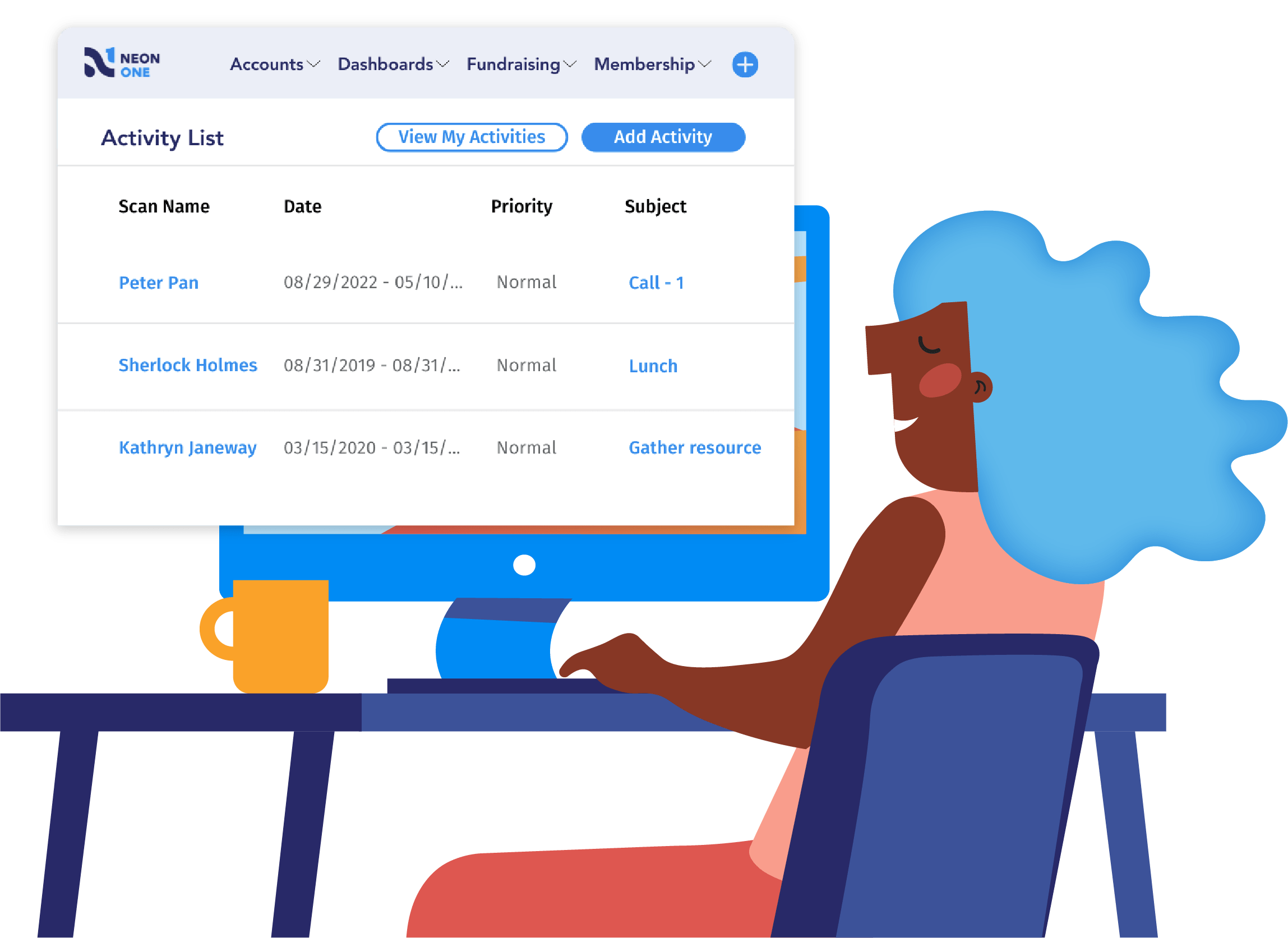
See Neon CRM in Action
Take this self-guided tour and see how top nonprofits build community, raise more, and save time with a single platform that manages it all!