

For nonprofits looking to court younger donors and increase online giving, having a credit card processor in place is a must. While previous generations might have preferred to give via check, cash, or even over the phone, those older analogue giving methods are on their way out, especially as even well-established donors switch to supporting their favorite causes online.
To wit, more than half of modern donors (54%) prefer to give online by credit or debit card—a number that is set to increase with each passing year.
But there are a lot of factors to consider when choosing a credit card processor and setting up a digital donation experience. In this article, we’ll cover the ins and outs of credit card processing for nonprofits, what you should look for in a payment solution, and how to set one up.
- What Payment Types Require a Processor?
- Donation Credit Card Processing in 4 (or 5) Easy Steps
- The Benefits of Effective Credit Card Processing for Nonprofits
- 9 Popular Payment Processors for Nonprofits
- How to Choose the Right Payment Processor For Your Nonprofit
- Connecting Your Payment Processor With Your Donation Page
What is Nonprofit Payment Processing?
At its core, nonprofit payment processing is the system that allows your organization to accept money online.
Nonprofit payment processing is a specialized service that securely handles the financial transaction aspect of donations. These processors provide the technical infrastructure needed to accept payments online, focusing on transaction efficiency, security, and compliance with payment industry standards to ensure funds move seamlessly from donors’ accounts to your nonprofit’s bank account
What Payment Types Require a Processor?
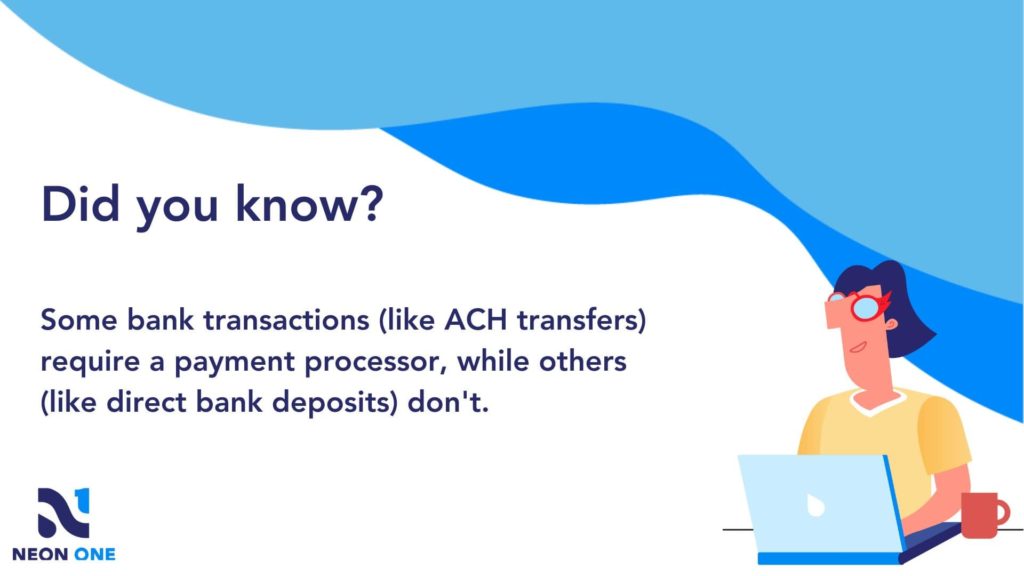
Let’s start at the beginning. There are certain payment types—credit cards, chief among them—that require a payment processor to complete a transaction. And there are some that don’t!
When it comes to the following payment types, a payment processor is required in order to facilitate a secure transaction:
- Credit and debit cards: This remains the most common digital payment method, allowing donors to use their cards for one-time or recurring donations.
- Digital wallets: This is the fastest-growing way to give. By using digital wallets like Venmo, PayPal, Apple Pay, or Google Pay, donors can complete a gift in seconds using saved info. Offering these methods is essential for catering to younger donors who rarely carry physical wallets.
- ACH transfers: These are direct bank transfers, which minimize transaction fees and provide an alternative to cards.
- Mobile payments: Mobile wallets and apps enable quick donations through smartphones. Offering these methods is important for catering to younger donors; mobile devices now account for 53% of all nonprofit website traffic.
- Online bank payments: Donors can initiate payments directly from their online bank accounts.
- E-checks: Electronic checks provide a secure way to transfer funds from bank accounts.
- Cryptocurrencies: Some processors support donations in cryptocurrencies, appealing to tech-forward donors.
Conversely, here are the payment methods that don’t require payment processors:
- Cash and checks: These traditional methods are collected offline, often at events or in-person interactions.
- Direct bank deposits: This is a payment method in which donors directly transfer funds to the nonprofit’s bank account.
Two things to note, real quick about offline payment methods. First, while cash and checks are great, it’s still a good idea to have digital payment methods available at in-person events. Second, your nonprofit should have processes around handling cash donations to ensure that those gifts remain secure.
While this article will primarily focus on credit card transactions, many of the topics we’ll cover—security, integrations, donor-friendly experiences, etc.—apply to the many types of digital transactions that a payment processor will handle. So keep that in mind!
Donation Credit Card Processing in 4(ish) Easy Steps
Using your credit card to make a donation is easy. You enter the info or stick the card into a device, click a few buttons, and voila! The funds have been transferred.
But how does credit card processing for nonprofit donations actually work? While it’s simple on the surface, there are a lot of unseen steps that go into settling any credit card transaction.
Let’s dig into the specifics. When a donor makes an online credit card donation to a nonprofit, the process from beginning to end can be broken down into four distinct stages:
Step 1: The donor makes their donation
The donor visits the nonprofit’s website or donation page and selects their desired donation amount. They provide their credit card information, including card number, expiration date, and CVV code.
Step 2: The information is encrypted and sent to a payment gateway
The nonprofit’s website employs encryption (SSL) to secure the donor’s sensitive information during transmission. The donor’s data is then sent to a payment gateway, a secure service that acts as an intermediary between the nonprofit’s website and donors’ financial institutions.
Step 3: The payment is authorized and confirmed
The payment gateway sends an authorization request to the donor’s credit card issuer, which then responds with an approval or decline. If approved, the donation amount is reserved.
Step 4: The funds are transferred from the donor to the nonprofit
Upon approval, the donor’s funds are transferred via the credit card network from the card issuer to the nonprofit’s bank, which then deposits the funds (minus processing fees) into the nonprofit’s designated bank account, typically within a few business days.
With some payment processors (like PayPal), there is an extra step:
Step 5: Funds move from the merchant account to the bank account
There are a number of payment processors that maintain “merchant accounts” for their clients–usually for security and speed. When someone completes a donation using one of these processors, the funds are deposited into the nonprofit’s merchant account. This extra step requires moving the funds from said merchant account into the nonprofit’s bank account.
As you can see, processing a credit card donation is far from simple. Ensuring a secure and seamless flow of funds from the donor’s credit card to the nonprofit’s bank account involves a whole host of synchronized micro-steps involving numerous different entities.
That’s why payment processors are a thing: Complicated transactions like this require specialized businesses to complete them.
The Benefits of Effective Credit Card Processing for Nonprofits
Like any other part of the fundraising process, credit card processing that’s done in an efficient, donor-friendly, and secure manner will help you build better relationships with your donors over the long term.
Here are some of the primary benefits that an effective credit card process can have for your nonprofit:
- Increased donor convenience: It enables easy online donations, attracting tech-savvy donors and encouraging giving.
- Higher donation frequency and size: Streamlined transactions take less time, which can lead to more frequent and larger contributions.
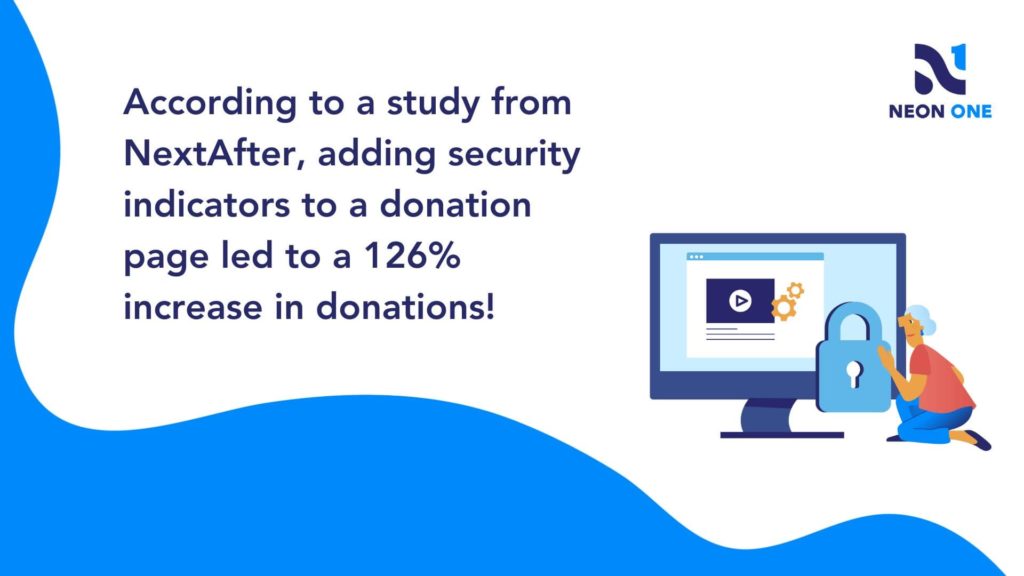
- Secured transactions: Leading processors use secure encryption protocols (such as SSL/TLS) and tokenization (replaces sensitive card information with unique tokens) to limit data exposure and mitigate risks of data breaches by malicious actors.
- Enhanced trust and credibility: All those safety procedures—especially if you’ve included security indicators on your donation form—demonstrates commitment to donor data safety and builds trust. 69% of donors cite feeling “very concerned” that their information could be hacked or stolen when giving to a new org.
- Operational efficiency: Automation—like syncing transactions automatically to a CRM instead of manually entering a cash gift or check number—reduces manual work and simplifies record-keeping and reporting, allowing you to spend less time managing your nonprofit’s operations and more time focusing on your mission.
- Modern giving preference: Accepting online donations via credit cards keeps you in line with digital trends, especially trends like making donations on mobile devices, via peer-to-peer fundraising , and using “one-click” digital wallets.
- Resource optimization: Maximized efficiency (like not having to go to the bank to deposit checks) means you can spend more resources working towards impactful projects and campaigns.
Later in this article, we’ll talk about all the factors you should consider when choosing a payment processing solution. Just remember that you should always be on the lookout for ways your process for credit card donations can be made better. A smooth and seamless donation process can help you retain more donors!
Credit Card Processors vs Online Fundraising Platforms
Okay, so maybe “vs” isn’t exactly the best title for this section. Credit card processors and online fundraising platforms are not opposing parties; they’re both essential components for nonprofit organizations, each serving distinct purposes in the realm of digital donations.
It’s important to know the difference between them, as picking a credit card processor and a platform that don’t integrate well together could cause a major headache for your organization.
Credit Card Processors
Credit card processors are specialized services that handle the financial transaction aspect of donations. They securely process credit card payments, ensuring funds move from donors’ accounts to the nonprofit’s bank account. Credit card processors focus on transaction efficiency, security, and compliance with payment industry standards. They provide the technical infrastructure needed to accept payments online, often integrating seamlessly into your website or donation page.
Online Fundraising Platforms
On the other hand, online fundraising platforms encompass many more features and functions. They offer tools to create and manage fundraising campaigns, providing features like customizable donation forms, peer-to-peer fundraising capabilities, donor management, and engagement tracking. These platforms are designed to amplify donor reach, foster community involvement, and enhance the overall fundraising experience.
In summary, while credit card processors handle the financial transaction, online fundraising platforms are comprehensive solutions that enable nonprofits to strategize, execute, and optimize their fundraising efforts in a more holistic manner.
In the next section, we’ll cover the ways that fundraising platforms and payment processors interact, and what that means for your nonprofit.

Trusted Nonprofit Payment Processors
When it comes to credit card processing, you have a range of reputable options to choose from.
Many of the processors mentioned below integrate with popular fundraising software. When it comes to Neon CRM, you can integrate your system with PayPal, Stripe, Authorize.net, and iATS for an additional monthly fee.
But if you’re looking for the best payment processing option to pair with your Neon One account, our in-house solution, Neon Pay, is the answer. The system’s flexible payouts, real-time updates, and centralized reporting simply can’t be beat. Plus, Neon Pay natively supports digital wallets like Venmo, PayPal, Apple Pay, and GooglePay, giving your donors more ways to give with no monthly charge!
If you’re looking beyond Neon Pay, here are some other popular processors.

PayPal, a household name, provides a user-friendly interface and compatibility with various websites. While it can be a great choice for nonprofits soliciting international donations, it traditionally requires additional steps to receive donated funds. However, when used through an integrated partner like Neon Pay, these steps are simplified, allowing for a more seamless experience.

Venmo was once just for splitting dinner bills, but now it’s a powerhouse for nonprofit giving, especially for Gen Z and Millennials (and, gulp, Gen Alpha). It offers a “social” element where donors can share their support with their network, potentially driving more organic traffic to your cause.

Apple Pay & Google Pay are two digital wallets that have become essential for modern fundraising. They allow donors to give in seconds using biometric data (FaceID or TouchID) without ever reaching for a physical card. Because they use “tokenization,” they are also among the most secure ways to process a gift.

Stripe is known for its robust customization and integration capabilities, which makes it ideal for organizations seeking a seamless donor experience. It is a popular choice for nonprofits seeking a developer-friendly platform that integrates with various digital tools (like Neon One!).

Square stands out for its simplicity, especially for small nonprofits and grassroots campaigns. But that simplicity comes with a price when it comes to donation page customizations. If your nonprofit is focused on mobile giving, Square has a lot to offer.

Authorize.Net, from Visa, boasts a long-standing reputation for security and reliability, accommodating organizations of all sizes. Many online fundraising platforms can work with Authorize.net, which makes it a common choice for nonprofits.
iATS specializes in nonprofit payment processing, offering tailored solutions and an understanding of nonprofit needs. They offer robust recurring donation capabilities, catering to sustaining donor programs. However, their integration is not -so -user-friendly, and their fees can be higher as well.

WePay is owned by Chase and offers a user-friendly interface, making it accessible for nonprofits without extensive technical knowledge. With WePay, you can customize donation forms to match your nonprofit’s branding. Some downsides include potentially higher fees and slower payouts.
Nonprofit Payment Processor Fee Comparison
| Payment Processor | Standard Nonprofit Transaction Fee | Flat Fee per Transaction | Monthly/Platform Fees |
|---|---|---|---|
| Neon Pay | 3.25% credit card, 1.0% ACH | $0.35 credit card, $1.25 per ACH | $6.99/month |
| Stripe | 2.9% | $0.30 | $0 |
| Square | 2.9% | $0.30 | $0 |
| Authorize.net | 2.9% | $0.30 | $25/month |
| iATS | 2.49% – 3.30% depending on card | $0.15 | Quote-based |
| WePay | 2.9% | $0.30 | Built into partner platforms |
| PayPal | 1.99% | $0.49 | $0 |
| Venmo | 1.9% | $0.10 | $0 |
How to Choose the Right Payment Processor For Your Nonprofit
While many fundraising platforms include built-in payment processors, you still might feel that a different payment solution is the best fit for your nonprofit. If you want to make an informed choice (and we really don’t recommend wanting to make an uninformed one), you first need to understand the three ways nonprofits typically structure their payment relationships. These range from fully integrated systems that handle everything under one roof to independent setups that offer more manual control.
Credit Card Processors vs. Online Fundraising Platforms
Okay, so maybe “vs” isn’t exactly the best title for this section. Credit card processors and online fundraising platforms are not opposing parties; they’re both essential components for nonprofit organizations, each serving distinct purposes in the realm of digital donations. It’s important to know the difference between them, as picking a processor and a platform that don’t integrate well together could cause a major headache for your organization.
- Credit Card Processors: These are specialized services that handle the financial transaction aspect of donations. They focus on transaction efficiency, security, and compliance with payment industry standards to ensure funds move from donors’ accounts to your bank. They provide the technical infrastructure needed to accept payments online.
- Online Fundraising Platforms: On the other hand, these encompass many more features and functions. They offer the tools to create and manage campaigns, providing features like customizable donation pages, peer-to-peer fundraising, and donor engagement tracking. They are designed to amplify your reach and enhance the overall fundraising experience.
In summary, while credit card processors handle the financial transaction, online fundraising platforms are comprehensive solutions that enable nonprofits to strategize and execute their efforts in a more holistic manner.
The 3 Types of Nonprofit/Payment Processor Relationships
- Integrated Online Fundraising Platform: Some nonprofits opt for a complete solution by choosing a platform that comes with its own integrated payment processing (like Neon Pay). In this scenario, the platform handles both fundraising tools and transactions seamlessly, so you don’t need to select a separate processor.
- Flexible Online Fundraising Platform: Alternatively, you can choose a platform that allows you to select an external processor while offering a default option. This grants you the freedom to pick a processor that best aligns with your preferences while keeping a convenient starting point.
- Independent Processing Relationship: For a more personalized approach, larger nonprofits with specialized staff may maintain their own direct relationship with a processor and integrate it into a custom-tailored solution.
So, which option works best? It depends! Although, if we’re being honest, it’s probably going to be one of the first two. Ultimately, the choice hinges on convenience, customization, and your existing setup.
What Should Nonprofits Look for in a Payment Processor?
Once you know which relationship type fits your team, look for these key features:
- Transaction Fees: Compare base platform fees and transaction cuts (like “4% + $0.65) to ensure cost-effectiveness.
- Integration Compatibility: Check if the processor integrates smoothly with your website or donation platform. This is where user reviews are your best friend—a bad integration creates a very bad user experience.
- Security Measures: Ensure PCI DSS 4.0 compliance and robust encryption to keep donor data safe—data leaks are a huge headache you’ll want to avoid. (Psst: If you’re a Neon One user, you’re covered by our free PCI compliance program, which includes $100,000 in data breach protection.)
- Payment Methods & Digital Wallets: Confirm the processor supports your donors’ preferred methods like credit cards, ACH, and e-checks. In 2026, this must include digital wallets like Apple Pay, Google Pay, Venmo, and PayPal. If you hold in-person events, ensure the processor supports mobile and “tap-to-pay” options.
- Refund and Chargeback Handling: Understand the processor’s policies so you can ensure a smooth process if you ever have to deal with fraud or accidental duplicate gifts.
- Recurring Gift Support: Look for platforms that can easily automate and process sustaining monthly donations.
- Nonprofit-Friendly Features: Some processors offer discounted rates or special features tailored specifically to the sector. Always check for these hidden benefits!
We can’t tell you which payment processor will work best for your nonprofit (although we’re admittedly pretty fond of Neon Pay). But if you consider these factors as you compare your options, you should have no problem finding a partner that complements your platform, enhances donor engagement, and optimizes your fundraising endeavors.
Connecting Your Payment Processor With Your Donation Page
Integrating your chosen payment processor with your donation page and other online forms is where the rubber meets the road. A smooth, bug-free integration is essential for a good donor experience. This is most important if you’re using a custom solution someone’s built especially for your nonprofit!
If you’re using a platform with a built-in payment processor, you can skip this step—just make sure you submit a couple of test transactions to make sure everything’s working smoothly. Platforms that let you integrate your existing payment processor with their software should help you set this up, too.
Here are several steps you can take to ensure a successful integration:
- Choose compatible tools: Select a donation platform or website builder that supports your chosen payment processor. Ensure compatibility to avoid technical glitches. Dig into user reviews to see how the integration performs out in the wild.
- Access API documentation: Familiarize yourself with the payment processor’s application programming interface (API) documentation. This outlines integration steps and required code.
- Generate API keys: Obtain API keys or tokens from your payment processor. These credentials enable secure communication between your website and the processor.
- Integrate code: Implement the provided code snippets into your donation page’s HTML. Embed buttons or forms for donors to input their payment details.
- Test transactions: Perform test transactions using sandbox or test environments provided by the processor. Confirm that donations are completed correctly without any issues.
- Design consistency: Ensure your donation form’s design and branding align with your website for a cohesive user experience.
- Security measures: Implement SSL certificates to encrypt donor data during transmission, bolstering security.
- Error handling: Incorporate error handling mechanisms to manage unexpected scenarios, ensuring donors aren’t discouraged by technical glitches.
- Mobile compatibility: Verify that the integration functions seamlessly on mobile devices, given the rising trend of mobile donations. In fact, make sure that your entire website is optimized for viewing on mobile devices.
By following these steps, your nonprofit can seamlessly integrate its chosen payment processor with its donation page, enabling efficient and secure online giving while enhancing donor trust and engagement.
But remember, the platform you choose for your online transactions should do many of these steps for you. Make sure you understand what steps you’ll need to take to get your account up and running.
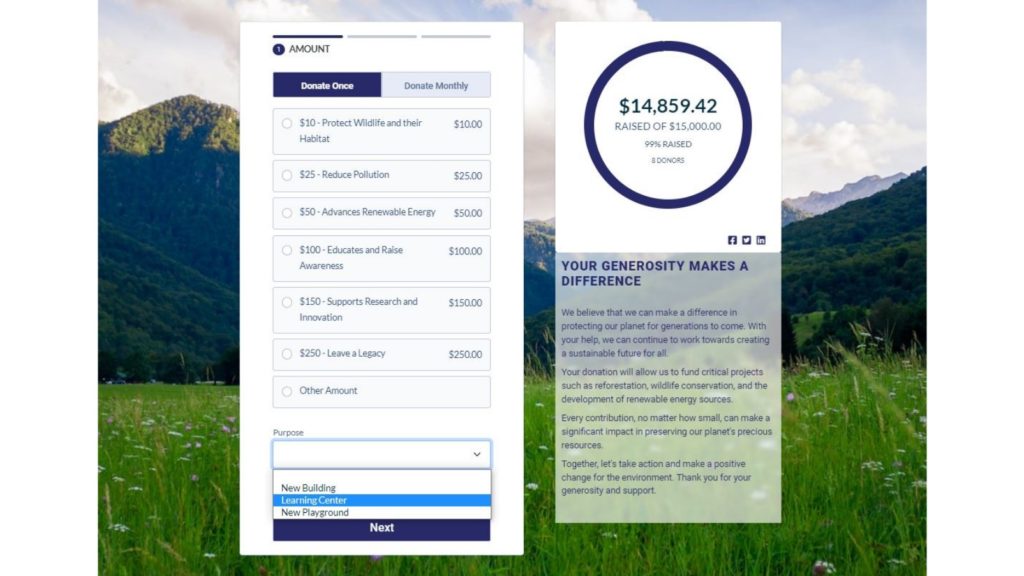
Neon One & Neon Pay Are a Great Solution
Here’s the good news about finding a nonprofit payment processor: There are a ton of different solutions, many of which are designed with nonprofits in mind. But finding a solution for credit card transactions should be about more than the basic functions! You should always be working towards the goal of creating a smooth, engaging donation experience for your nonprofit’s digital-first supporters.
That’s exactly why we created Neon Pay: To give our Neon One users an elegant, low-cost solution for payments—one that works great for donors and provides nonprofits with easier access to their funds, plus real-time reporting. We’re giving nonprofits the tools they need to turn first-time donors into long-time super fans.
Want to learn more about Neon One? Check out one of our simple, self-guided tours!

See Neon One in Action!
Check out these 12 self-guided tours and learn how Neon One’s tools empower nonprofits to connect with their communities, move their supporters to action, and simplify their operations.