

— KEY TAKEAWAYS
Marketing automation for nonprofits means using software to handle routine marketing tasks—like welcome emails or renewal reminders—automatically based on rules you set, freeing your team to focus on meaningful, human work rather than replacing people.
- Five proven workflows can be launched right away: new donor welcome series, volunteer follow-up and onboarding, lapsed donor re-engagement, recurring gift recovery for expiring cards, and membership renewal reminders.
- Automation saves time, delivers the right message at the right time, boosts engagement and retention, reduces human error, and frees staff for higher-value strategic work.
- Look for automation software with strong segmentation and tagging, behavior-based triggers, reporting and analytics, and CRM integration so donor data flows into every workflow automatically.
- Launching automation follows six steps: clean up your data, map key donor segments, choose triggers and channels, build the workflow, test and refine, then launch and monitor.
- You don’t need a big budget or IT team—many affordable, even free, tools already include automation features.
If you work at a nonprofit, you know the to-do list never ends. One minute you’re writing a newsletter, the next you’re thanking donors, updating social media, or scrambling to promote an event. (Oh, and a lunch break? Surely, you jest.)
With limited time and staff, it’s all too easy for important to-dos—like following up with donors or sending that monthly newsletter—to slip through the cracks.
While we wish we could help you magically conjure more hours in your day, we can’t. But we can help you free up some existing hours by automating more of your marketing and communication tasks.
To help you get started, we’re going to hone in on five proven automated workflows you can implement right away. These are beginner-friendly (yet impactful) strategies—no coding or big tech teams required.
Let’s dive in!
Looking for Better, Safer Ways to Use AI?
The AI Xchange, by Neon One, is a resource hub that helps you use AI efficiently and safely—so you save time without risking donor trust.
What Is Marketing Automation for Nonprofits?
In practice, marketing automation for nonprofits means using software to handle routine marketing tasks automatically, based on rules or triggers you set. Instead of manually hitting “send” on every email, you set up “if-this-then-that” workflows to do it for you.
It’s like having a reliable virtual assistant who never sleeps and never forgets (the helpful kind of “never forget,” not the petty, vengeful kind).
Here’s how it works: You define a scenario and an action, and the system carries it out. For example, when a new donor joins, an automatic welcome email series can introduce them to your mission and say “thanks” without delay, eventually leading up to an ask for a second gift several months later.
It could also be something simpler, like automatic reminders about an upcoming event sent to all registrants, or an email that goes out when a recurring donor’s credit card expiration date is fast approaching
Why Does Marketing Automation Matter?
Marketing automation might sound high-tech or impersonal, but the truth is, it can be a huge boon for even the smallest organizations—wait, scratch that—especially for the smallest organizations.
Here are a few key benefits:
- It Saves Time (and Sanity): Replacing manual work with automated workflows gives you back hours each week. Instead of copy-pasting the same email 200 times, you set it up once and let it roll.
- It Delivers the Right Message at the Right Time: You can ensure every new newsletter subscriber gets a warm welcome, every donor receives an immediate thank-you, and every volunteer gets a reminder before their shift.
- It Boosts Engagement & Retention: Keeping supporters engaged is hard when you’re stretched thin. Marketing automation helps improve those odds by nurturing relationships.
- It Reduces Human Error: Even the best of us forget things—but automation doesn’t. By letting software handle routine tasks, you’ll have fewer “oops” moments.
- It Frees You for Higher-Value Work: Perhaps the biggest benefit of all: your team can focus on what humans do best. When the busywork is automated, you get to spend more time on strategy, creativity, and fostering personal connections.
In short, marketing automation matters because it lets you operate like a bigger, more nimble organization without needing a huge staff or budget. It’s about doing more and doing better with what you have.
5 Nonprofit Marketing Automation Workflows to Try
Let’s explore five practical automated workflows that can make a big difference in your day-to-day outreach. These examples are easy to implement and deliver real value for your organization and supporters.
1. New Donor Welcome Series
Whenever someone makes their first donation, an automated welcome email series kicks in.
How It Works: A week after a new donor gives, your system (for example, a CRM with a built-in email platform) sends them a warm welcome email. A month later, it sends a follow-up story or video showing the impact of their gift. It’s a short, predefined sequence that greets and educates new donors about your mission over the first few weeks of their support.
Why It’s Great: First-time donors are excited to support you—but if they hear crickets after giving, that excitement fades fast. This workflow ensures every new donor feels appreciated immediately and learns more about how their gift makes a difference.
With this workflow, you’re building a relationship from day one, without anyone on your team having to manually reach out multiple times.
2. Volunteer Follow-Up & Onboarding
After a volunteer signs up or expresses interest, automate the follow-up process to get them on board and say thanks.
How It Works: Suppose someone fills out your “I want to volunteer” form or registers for a volunteer orientation. This workflow instantly sends a confirmation email ( “Got your application—you’ll hear from us soon!”) and then triggers an internal email to have a staff member review the application.
Why It’s Great: Volunteers are golden. You want to welcome them warmly and get them plugged in quickly. An automated workflow ensures no prospective volunteer waits days for a response or info. It also standardizes the onboarding so everyone gets the same quality experience.
Even if you’re swamped, this workflow means that a new volunteer feels like you’ve rolled out the red carpet for them.
3. Lapsed Donor (or Member) Re-Engagement
Win back lapsed donors with an automated re-engagement campaign that rekindles their connection to your cause.
How It Works: Define what “lapsed” means for you (e.g. donors who haven’t given in 18+ months, or members who didn’t renew this year). Your system can automatically tag these folks and trigger a gentle email series saying “we miss you!”, reminding them why they supported you in the first place, and asking them to get involved again.
Why It’s Great: Nonprofits naturally lose touch with some supporters over time—life gets busy. But that doesn’t mean those people don’t care anymore. A friendly nudge via automation can reignite the spark without feeling pushy. Because it’s automated, you know that your lapsed donors will be receiving thoughtful outreach at just the right interval.
With a series like this, even your lapsed supporters who don’t re-engage will at least see that you still value them, which leaves the door open for future interactions.
4. Recurring Gift Recovery (Expiring Credit Cards)
Don’t lose loyal donors to a technicality. Set up automated alerts when a recurring donor’s credit card is about to expire, prompting them to update their info.
How It Works: This is more than just a ‘card declined’ alert. This automation lets you proactively email the donor a few weeks before their card is set to expire. You can also schedule a follow-up reminder if they haven’t updated after a week or two.
Why It’s Great: This might not be the flashiest workflow, but boy, is it important! Many recurring donations are lost simply because a card expired or got replaced, and the donor (who still cares about your cause) has no idea their gift isn’t coming through.
It’s a win-win: Your nonprofit retains crucial recurring gifts, and donors appreciate the gentle reminder (rather than finding out much later that their intended gifts never made it).
5. Membership Renewal Reminders
For organizations with membership programs or subscription-style support, automate the renewal nudges so no member forgets to renew.
How It Works: Let’s say memberships last one year. As each member’s renewal date approaches, a pre-written email series triggers at 30 days, one week, and (if needed) the day after the date passes without a renewal. You can also trigger thank-you messages once they do renew.
Why It’s Great: Keeping members in the fold is a lot easier (and cheaper) than finding new ones. But busy people often forget to renew, even if they intended to. Automated reminders do them the favor of jogging their memory by nudging them at just the right times.
This workflow ensures that every member gets multiple chances to stay on board, without staff having to track dates on a calendar or make calls one by one.
Must-Have Features in Nonprofit Marketing Software
Not all automation platforms work the same way, and some features matter more than others for nonprofit work. Here’s what to look for when you’re comparing options.
Segmentation & Tagging
Segmentation means dividing your supporters into groups based on what they’ve done or who they are. You might create segments for major donors, first-time volunteers, people who came to your last event, or folks who haven’t engaged in six months.
Good automation software makes these groups easy to create and updates them automatically as people’s behavior changes.
Different groups need different messages, and segmentation makes that possible. A major donor wants to hear about strategic direction and long-term impact. A new volunteer just wants to know where to show up and what to bring.
Here are some common segments nonprofits create:
- Major donors: Get quarterly impact reports and updates about strategic initiatives
- Event attendees: Receive invitations to similar future events
- Volunteers: See notifications about upcoming opportunities
- Lapsed donors: Enter a re-engagement sequence with recent impact stories
Behavior-Based Triggers
Triggers are the “if this happens, then do that” rules that make automation responsive.
If someone opens your email but doesn’t click the donation link, that triggers a follow-up. If they register for an event, that triggers a confirmation sequence. If they donate, that triggers a thank-you series and removes them from fundraising appeals for a while.
The best platforms let you set up complex rules based on multiple conditions. This keeps your outreach timely and relevant instead of random or awkward—like sending a donation request to someone who just gave yesterday.
Reporting & Analytics
You can’t improve what you’re not measuring. Strong reporting shows you which emails get opened, which messages drive donations, and which workflows lose people at certain steps.
Look for platforms with clear dashboards showing open rates, click-through rates, and conversion rates. Some tools also offer A/B testing, which lets you try different subject lines or send times to see what works best with your audience.
CRM Integration
Marketing automation works best when it connects with your donor database.
When someone donates through your online form, that information flows into your contact list and triggers the right follow-up messages. When someone updates their email address, it updates everywhere.
Integration eliminates manual data entry and makes sure everyone on your team sees the same information about each supporter.
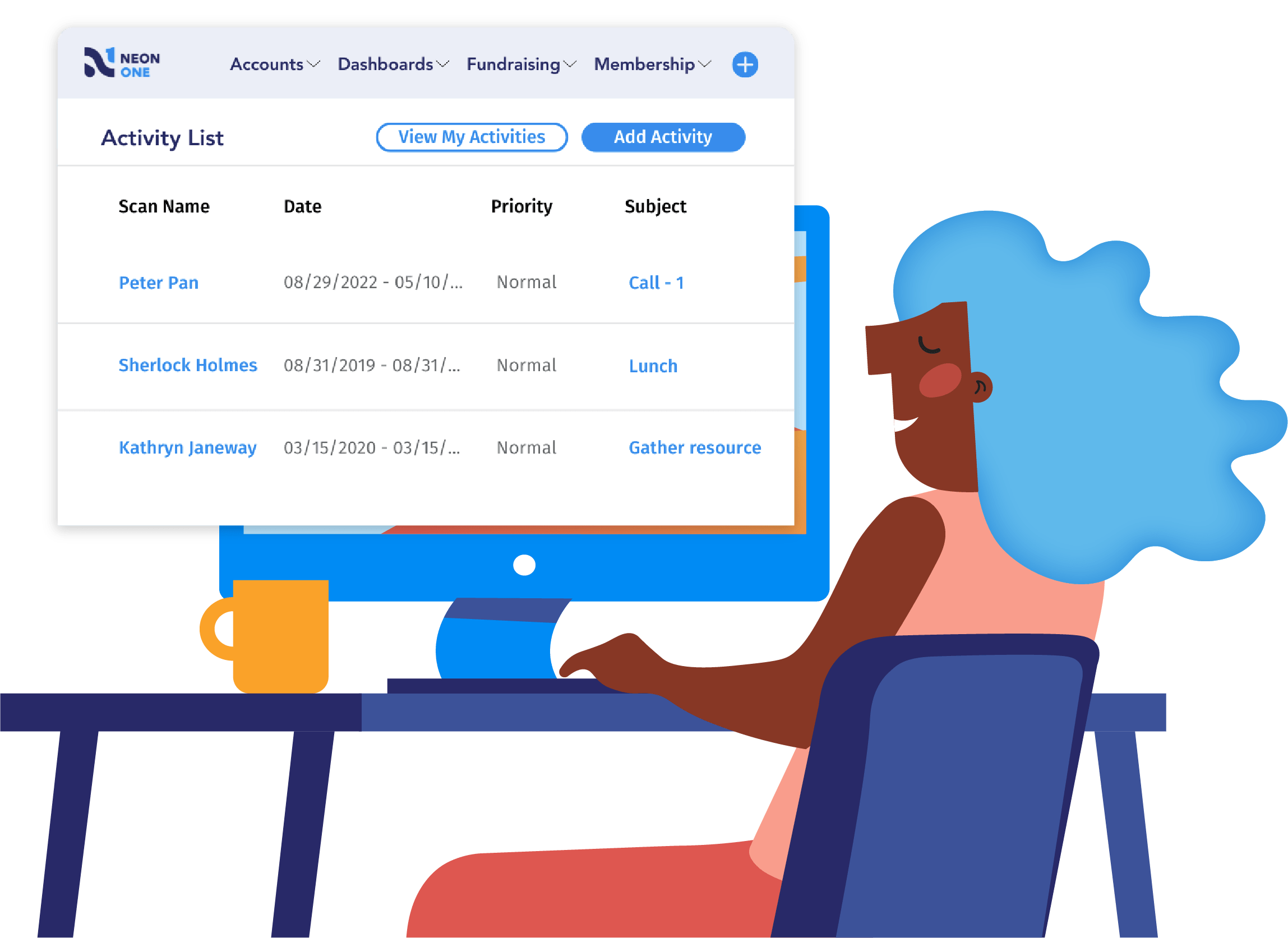
Platforms like Neon CRM combine donor management, email marketing, and automations into one system, so there’s nothing to sync. Everything lives in the same place, which means your email segments can pull from donation history, event attendance, and volunteer records all at once.
See Neon CRM in Action
Take this self-guided tour and see how top nonprofits build community, raise more, and save time with a single platform that manages it all!
6 Steps To Launch Your First Automation
Starting with automation doesn’t mean overhauling everything at once. Here’s a practical path that builds momentum without overwhelming your team.
Step 1: Clean Up Your Data
Automation only works well if your underlying data is accurate.
Duplicate records, outdated email addresses, and missing information all undermine automated workflows. Someone might get duplicate emails because they’re in your system twice, or miss messages entirely because their email is wrong.
Before launching automation, invest time in basic cleanup: merge duplicates, remove invalid emails, and standardize formatting. Many systems include tools that help identify and fix problems, though some manual review is usually necessary.
Step 2: Map Key Donor Segments
Start by identifying three to five groups within your supporter base who need different communication.
You might begin with new donors, monthly givers, and lapsed supporters—or volunteers, event attendees, and major donors, depending on your focus.
For each donor segment, write down what they care about and what action you want them to take next.
Step 3: Choose Triggers & Channels
Decide which supporter actions or dates will start your automated sequences. Common triggers include completing a donation, signing up for your newsletter, registering for an event, or hitting a giving milestone.
Also, figure out whether email alone will work or if you want to add text messages. Most organizations start with email-only workflows since email automation is the most accessible option.
Step 4: Build the Workflow
Create the actual sequence of messages—what each one says, when it sends, and what happens next.
A simple new donor workflow might look like this: immediate thank-you email, wait three days, send impact story, wait four days, invite to upcoming event. You can map this out on paper before building it in your software to help you think through the logic and flow.
Keep your first workflows short—three to five messages max—so you can launch quickly and learn from real results.
Step 5: Test & Refine
Before turning on your workflow for everyone, send test messages to yourself and a few colleagues. Click every link, check that names and details fill in correctly, and verify that the timing makes sense.
Then launch the workflow to a small group—maybe 50 people—and watch results closely for the first week. Look for technical problems like broken links, but also watch engagement to see if people are opening and clicking as expected.
Step 6: Launch & Monitor
Once testing confirms everything works, turn on the workflow for your full segment.
Check performance weekly for the first month, then monthly after that. Track open rates and click rates, but also watch for unsubscribes or spam complaints that might signal your messaging is off.
As you gather data, you’ll spot opportunities to improve—maybe your subject lines need work, or one message consistently underperforms and could be rewritten.
Frequently Asked Questions (FAQ)
When done right, marketing automation actually makes your outreach more personal. You’ll be sending timely, relevant messages that show supporters you remember and value them. (Getting a prompt, warm thank-you feels great—whether a person hit “send” or a workflow did.) As long as you craft your automated messages with a personal touch—using names, referencing their interactions, and writing warmly—supporters will just feel cared for.
Nope! You don’t need to be a tech expert or spend a fortune. Many affordable (even free) tools exist for nonprofits to start automating. Chances are you’re already using something that has automation features built in—like your email marketing service or CRM. As you grow more comfortable, you can expand. You can also leverage LLMs like ChatGPT and Claude to build automated workflows using nonprofit-specific AI prompts.
Begin with the task that eats up a lot of your time but has a clear pattern. A great first step is often a welcome or thank-you email—something you know you send to every new donor or subscriber. It’s fairly straightforward to set up and delivers obvious benefits (every new supporter feels the love right away).
Not at all—you’re augmenting the human touch, not replacing it. Automation handles the routine follow-ups, so you have more bandwidth to add personal touches where they matter most. For instance, an automated email can welcome a new donor immediately, and then you (as a human) can follow up later with a phone call or personal note to really wow them.
Embrace the Automation Advantage with Neon CRM
By now, you can see that marketing automation isn’t about robots taking over your outreach; it’s about empowering you and your team to start building stronger personal relationships with your supporters. Plus, you don’t need to be a tech wizard or a big-budget operation to start automating.
Neon CRM, for instance, offers “One-Click Workflows”—pre-built automations for common needs like welcoming new donors or nudging lapsed members —that launch with, well, one click!
In fact, we have workflows covering all five of the scenarios mentioned in this article. (What a coincidence! Wow.) Want to see how they work? Take this virtual tour to see them in action.